Step 1: Access Event Creation
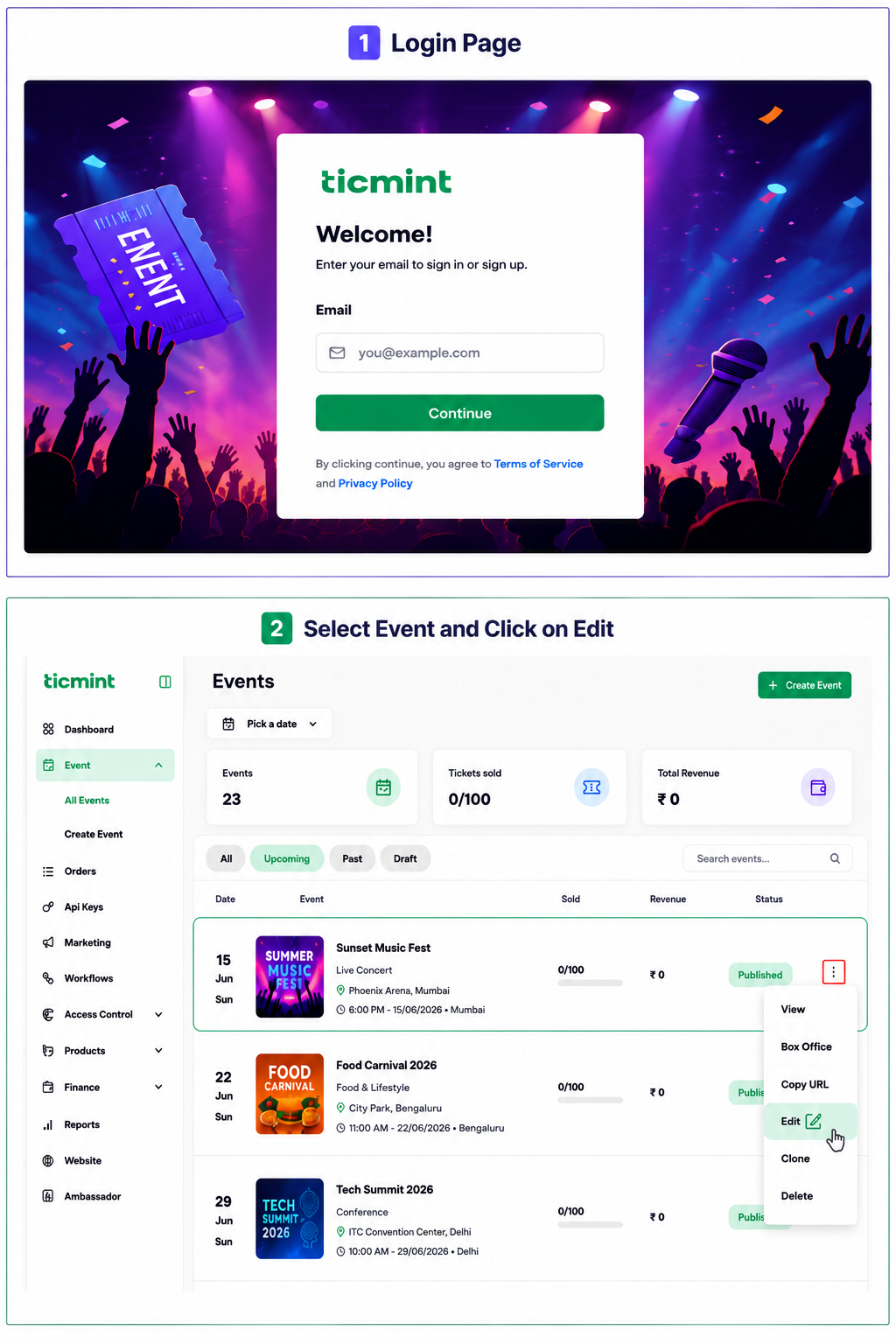
Login to the Ticmint Dashboard and select all event and click on edit.
Step 2: Publish Event
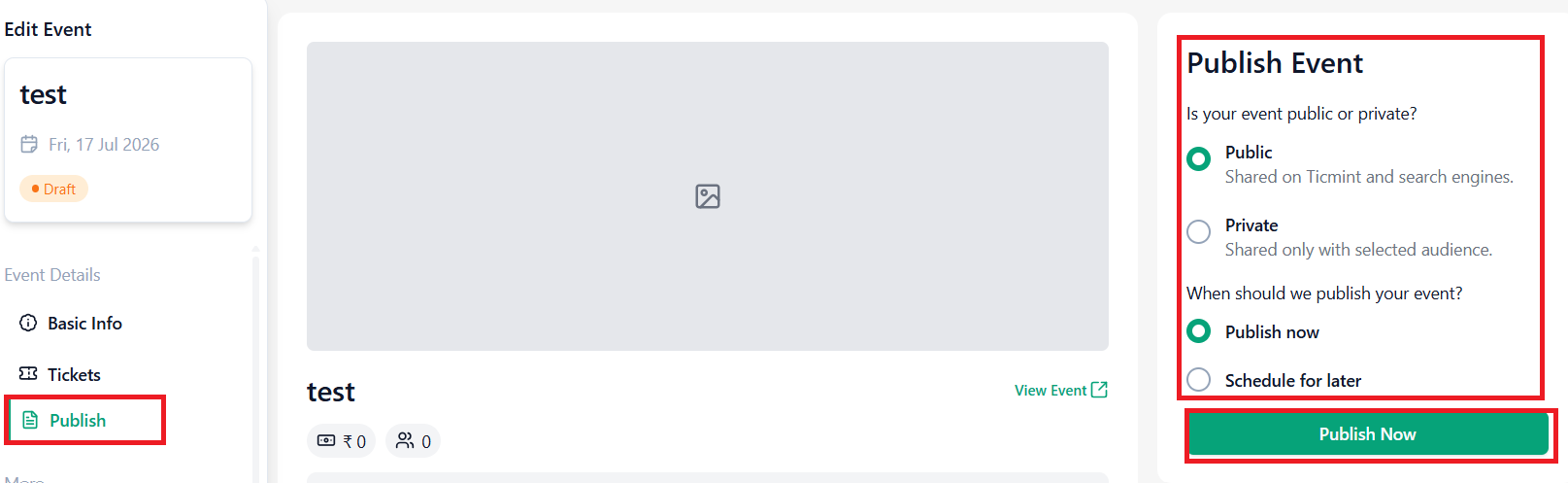
Click on publish and Choose Event Visibility
Public
Event will be listed on Ticmint.
Event can be discovered through search engines.
Private
Event will only be accessible to the selected audience.
Choose Publishing Time
Publish Now
Click Publish Now to make the event live immediately.
Schedule for Later
Click Schedule for Later and select the desired start date and time.
You can also enable Schedule Unpublish Date, which automatically unpublishes the event after the selected date and time.
Once configured, click Publish Later.
Note: Create an event by entering Event name and banner images, tickets type before publishing.
Learn more about planning your event timeline on the Ticmint blog.
Was this article helpful?
That’s Great!
Thank you for your feedback
Sorry! We couldn't be helpful
Thank you for your feedback
Feedback sent
We appreciate your effort and will try to fix the article