Step 1: Access Event Creation
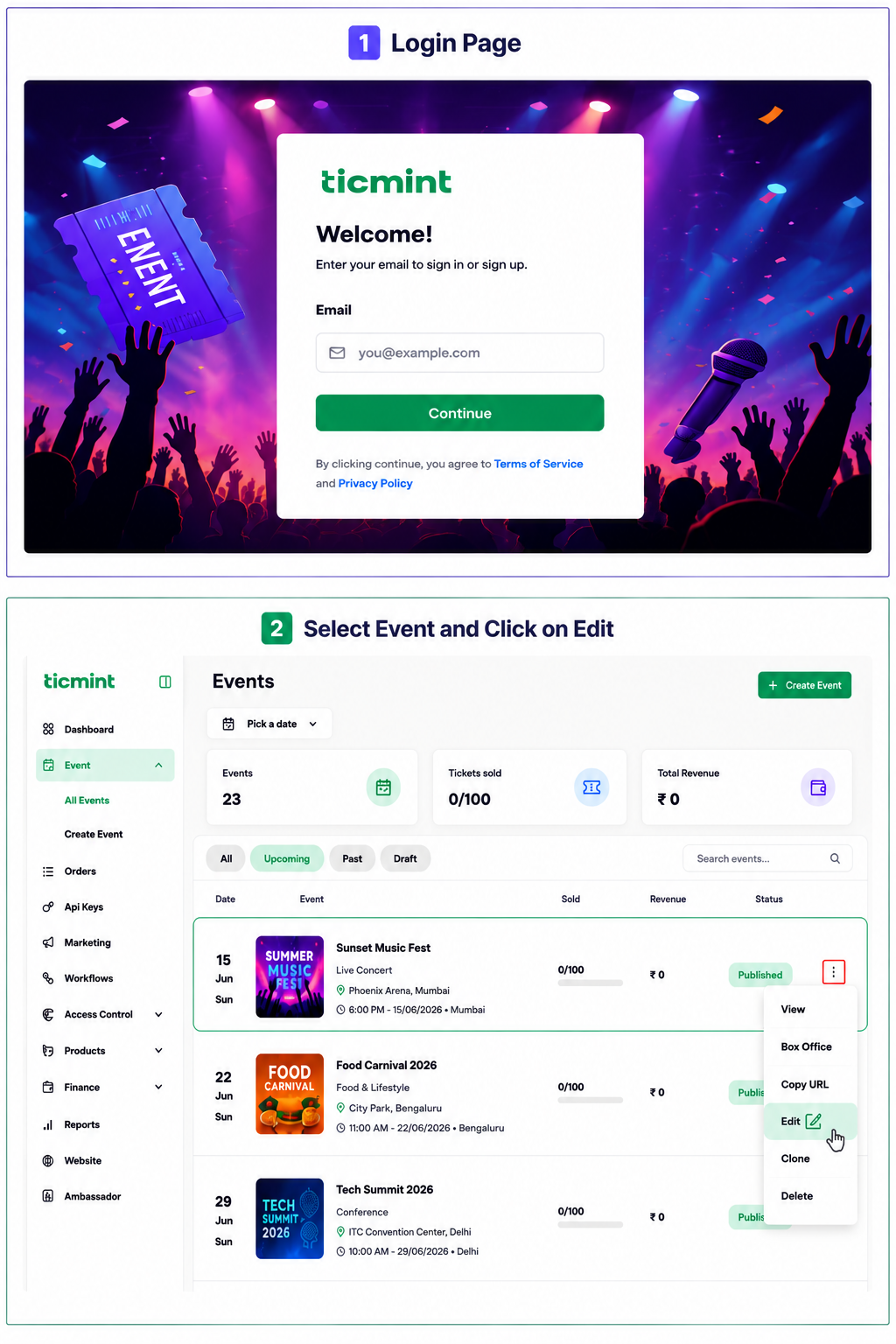
Login to the Ticmint Dashboard and select all event and click on edit.
Step 2: Turn On Whats app Tickets
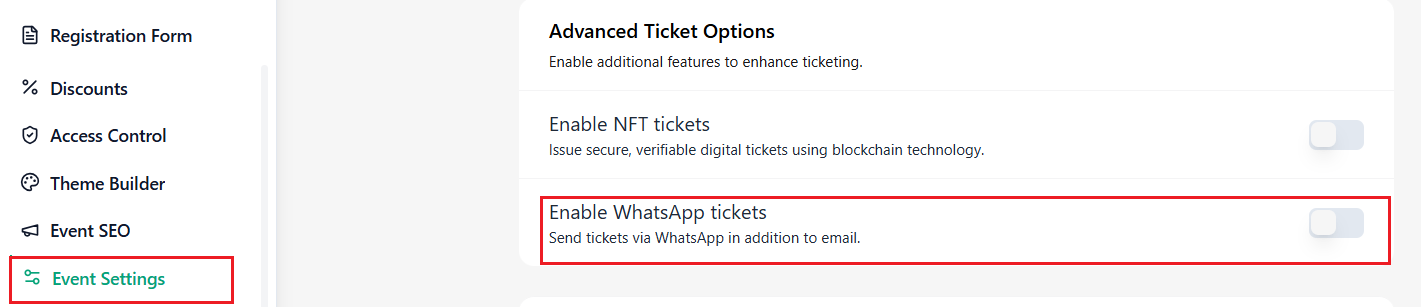
Click Event Settings to open the event configuration options.
Within Event Settings, find the Whats app Tickets option and turn on the toggle.
☐ Find Whats app Tickets
☐ Toggle it to Enable
Important
After enabling NFT Tickets, verify the ticket configuration and event details before publishing the event.
Learn more about Ticmint's event marketing tools on the Ticmint website.
Was this article helpful?
That’s Great!
Thank you for your feedback
Sorry! We couldn't be helpful
Thank you for your feedback
Feedback sent
We appreciate your effort and will try to fix the article