Step 1: Access Event Creation
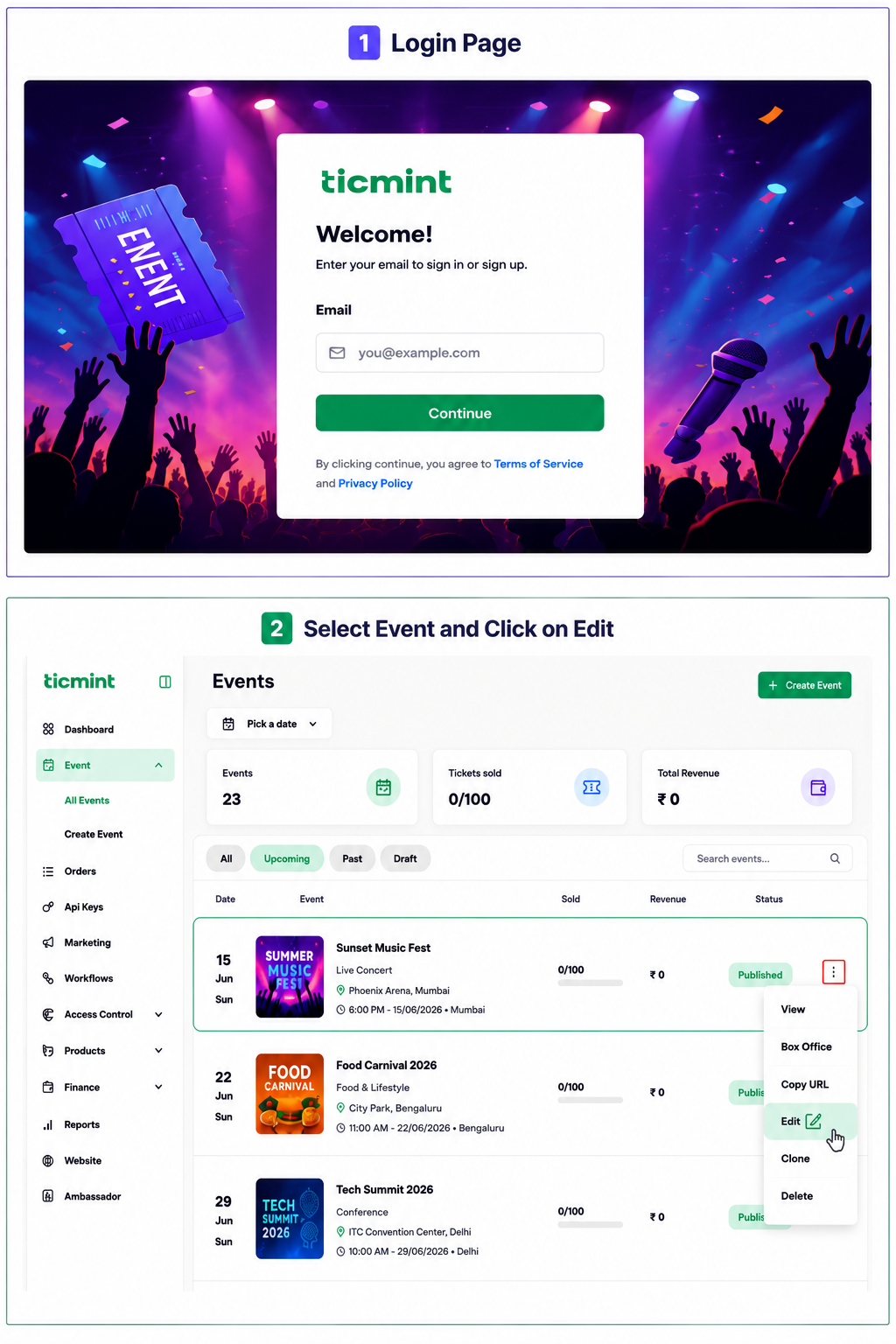
Login to the Ticmint Dashboard and select all event and click on edit.
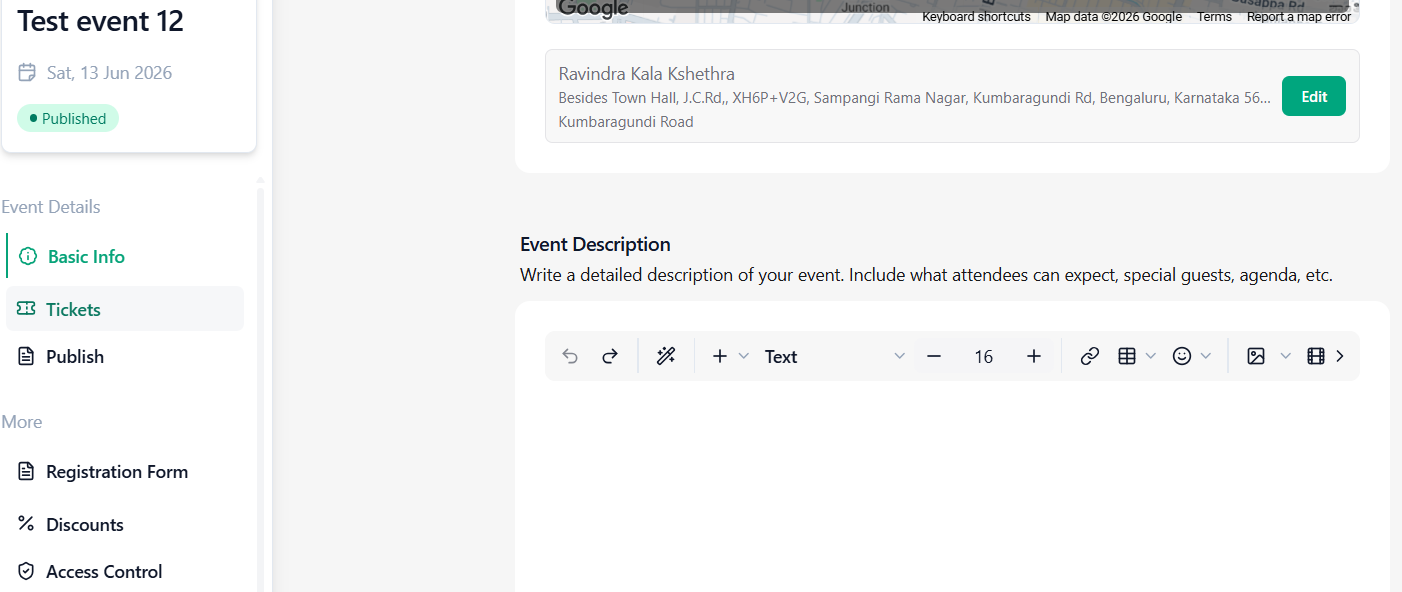
Step 2: Click on basic info and scroll down to Add Event Description
Enter details about your event. Use the available editor options to:
Ticmint provides a comprehensive rich text editor that enables event organizers to create and format engaging event content using text styles, font sizing, bold, italic, underline, colors, alignment, lists, indentation, links, tables, emojis, images, media, file uploads, smart editing tools, and additional advanced formatting options.
Learn more about building an event page that drives registrations on the Ticmint blog.
Was this article helpful?
That’s Great!
Thank you for your feedback
Sorry! We couldn't be helpful
Thank you for your feedback
Feedback sent
We appreciate your effort and will try to fix the article