Step 1: Access Event Creation
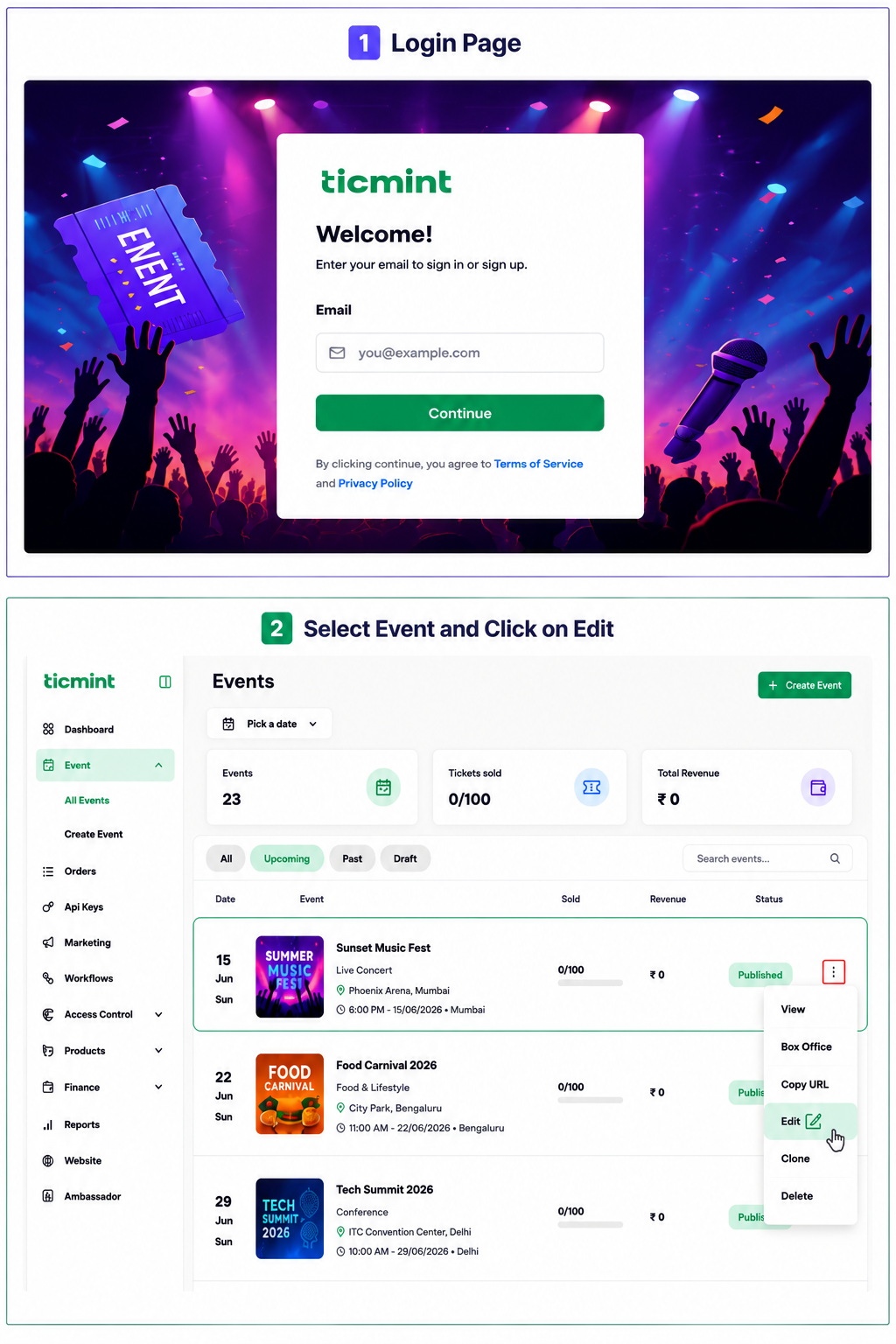
Login to the Ticmint Dashboard and select all event and click on edit.
Step 2: Location Details
Select basic info and scroll down. In the Location, choose the appropriate event location type:
Venue – Select Venue and search for the event location by entering the venue name, address, or location details. Then select the appropriate venue from the search results.
Online – Select Online if the event will be conducted virtually. Choose the preferred platform, then enter the Meeting Link, Meeting ID, and Passcode (if applicable) to allow attendees to join the event easily.
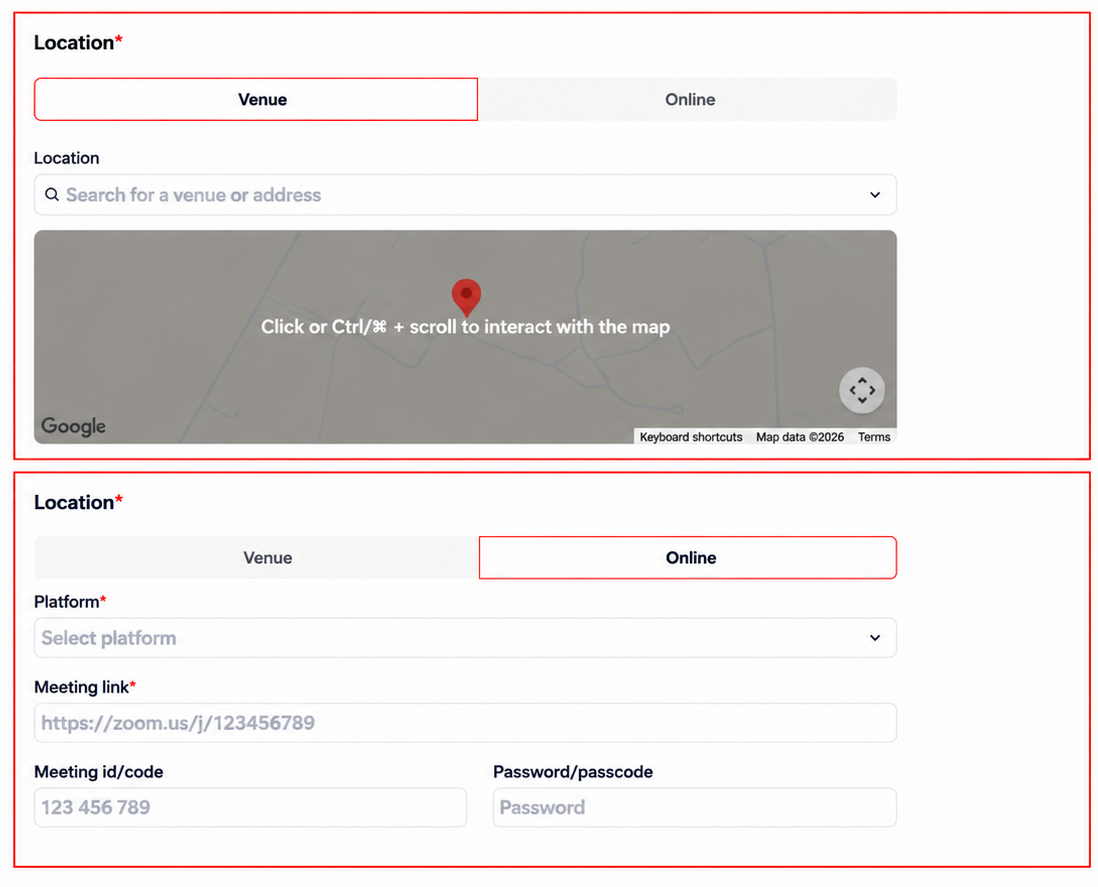 Edit the location and Click on Update
Learn more about building an event page that drives registrations on the Ticmint blog.
Was this article helpful?
That’s Great!
Thank you for your feedback
Sorry! We couldn't be helpful
Thank you for your feedback
Feedback sent
We appreciate your effort and will try to fix the article