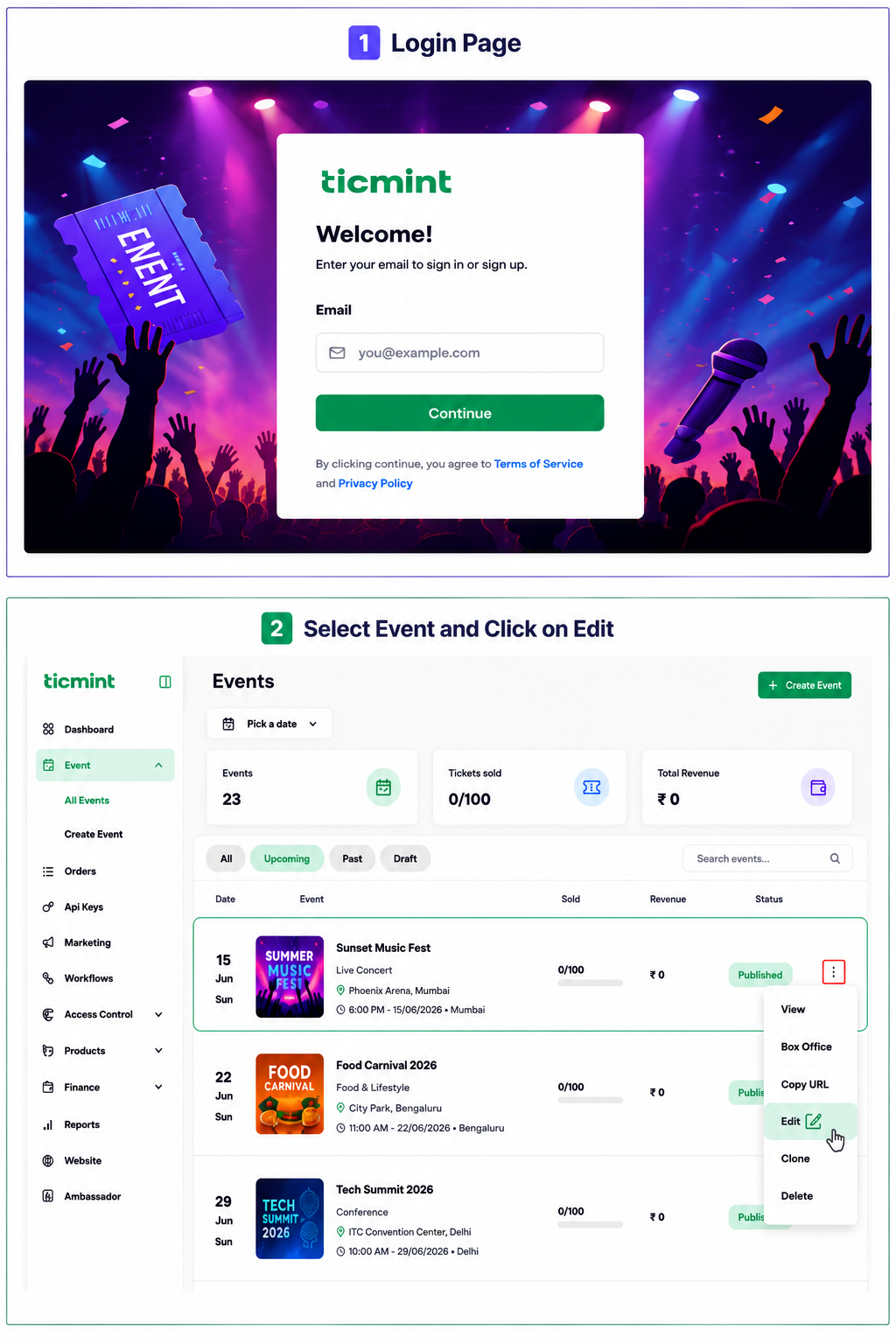
Step 1: Access Event Creation
Login to the Ticmint Dashboard and select all event and click on edit.
Step 2: Uploading Bulk discount
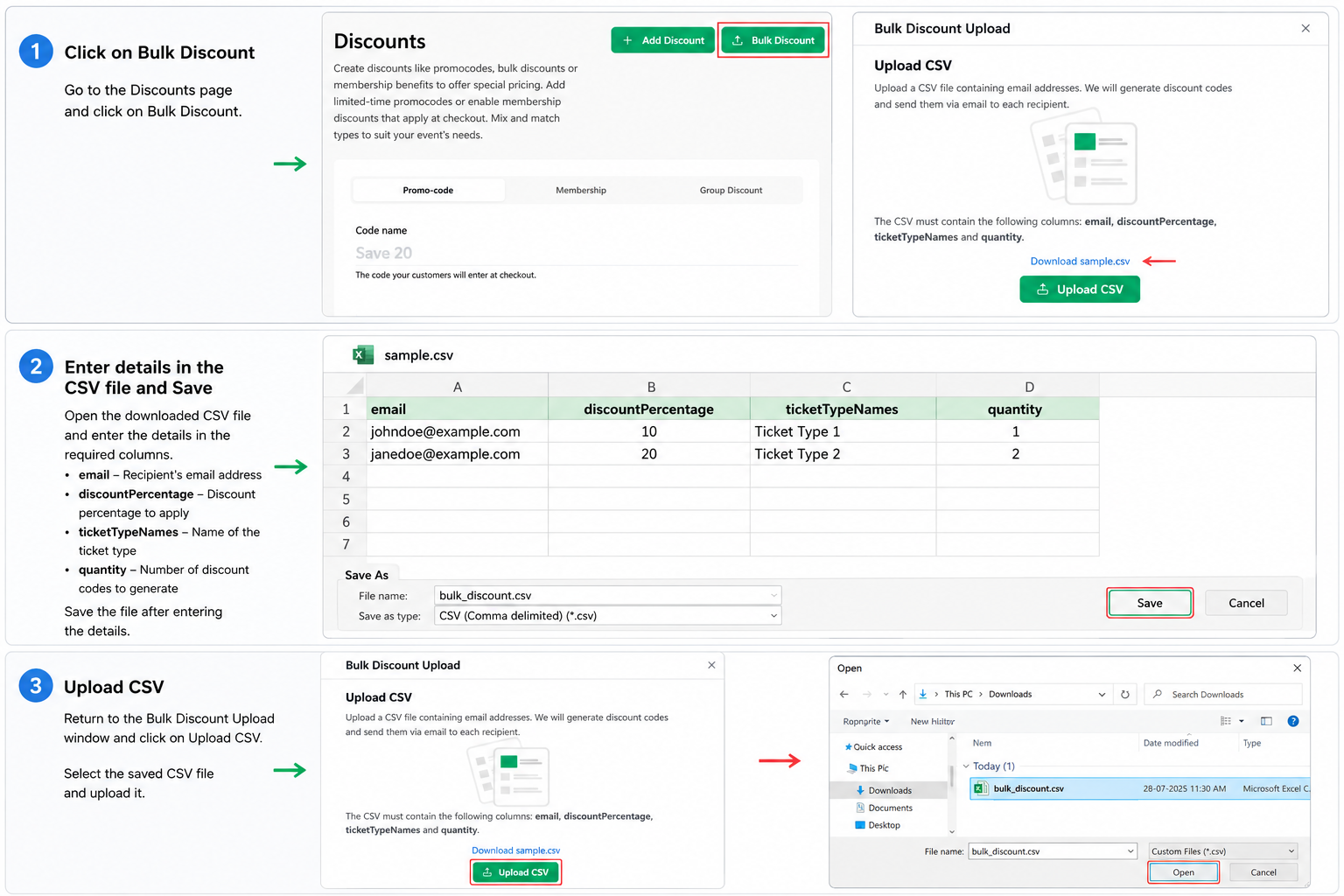
Click Discounts.
Select Bulk Discount.
Click Download Sample File to download the CSV template.
Enter the required discount details in the downloaded file and save it.
Upload the completed CSV file to create the bulk discounts.
Learn more about Ticmint's event marketing tools on the Ticmint website.
Was this article helpful?
That’s Great!
Thank you for your feedback
Sorry! We couldn't be helpful
Thank you for your feedback
Feedback sent
We appreciate your effort and will try to fix the article