Step 1: Access Event Creation
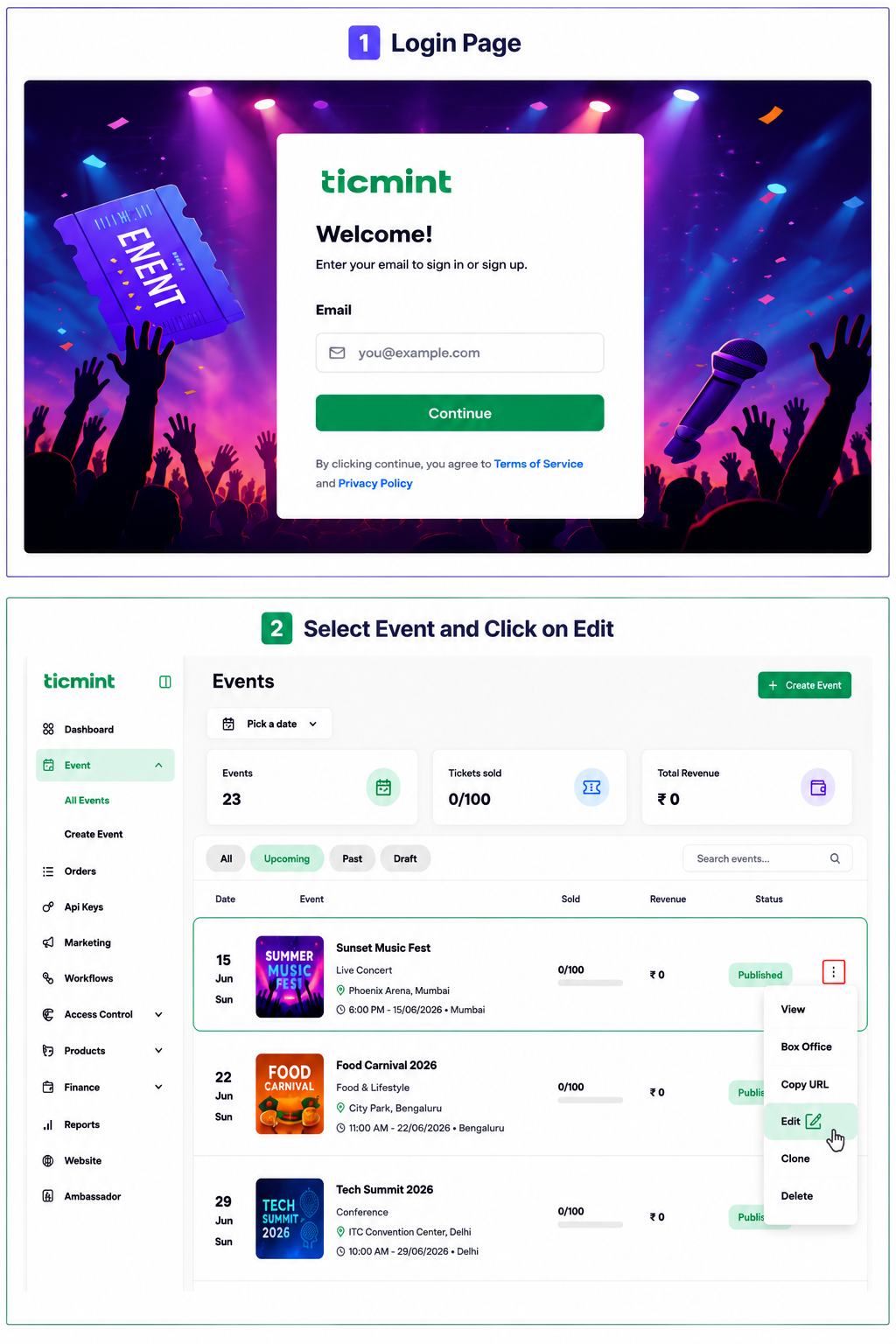
Login to the Ticmint Dashboard and select all event and click on edit.
Step 2: Create a Promo Code
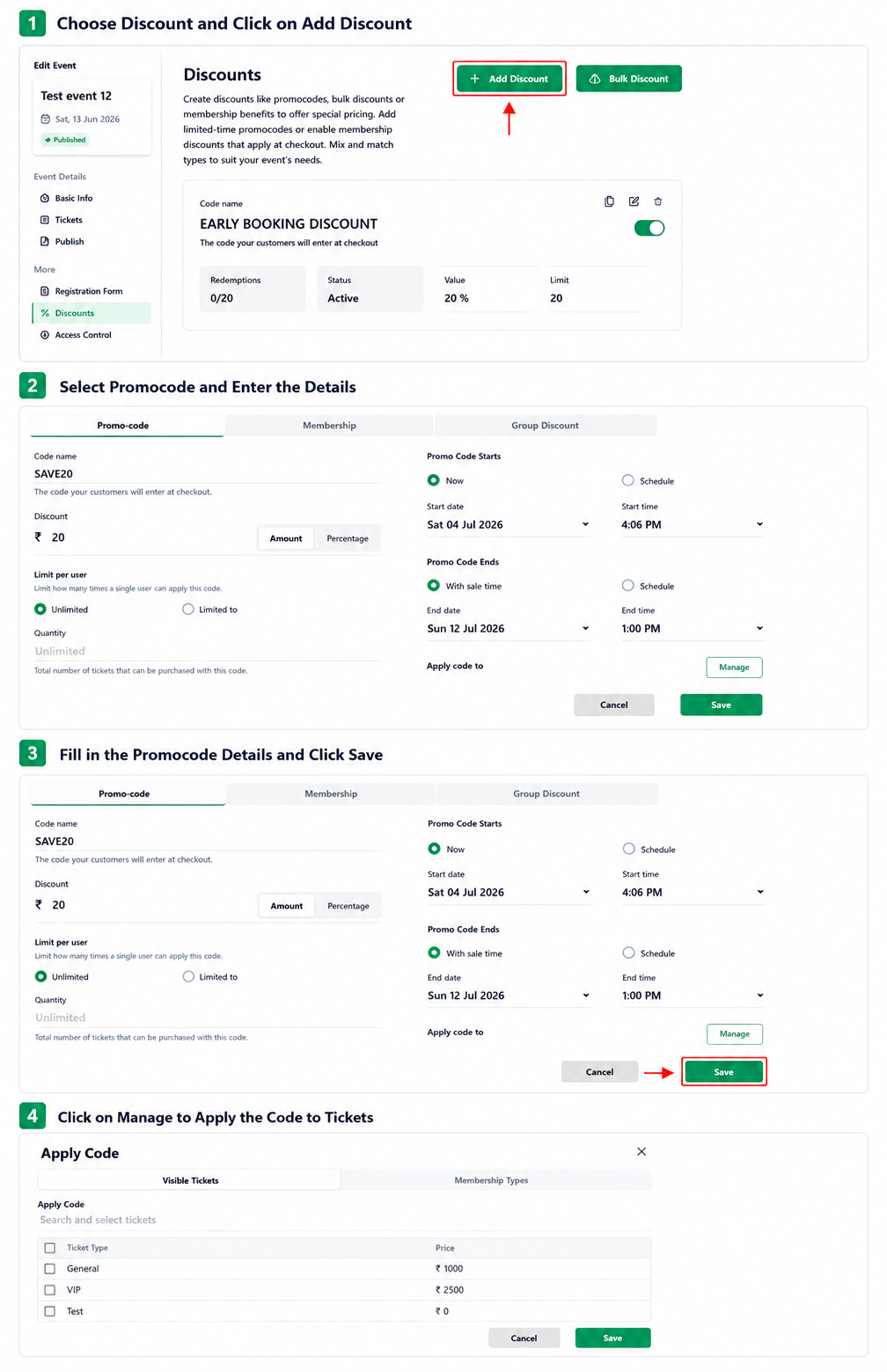
Click Discounts.
Select Add Discount.
Choose Promo Code as the discount type.
Enter the Promo Code.
Set the Discount Value as either an Amount or Percentage.
Set the Limit Per User as Unlimited or Limited.
Select the promo code Start Date & Time and End Date & Time.
To apply the promo code to specific tickets, click Manage.
Select the required ticket(s) and click Save.
Learn more about event marketing software on the Ticmint website.
Was this article helpful?
That’s Great!
Thank you for your feedback
Sorry! We couldn't be helpful
Thank you for your feedback
Feedback sent
We appreciate your effort and will try to fix the article