Step 1: Access Event Creation
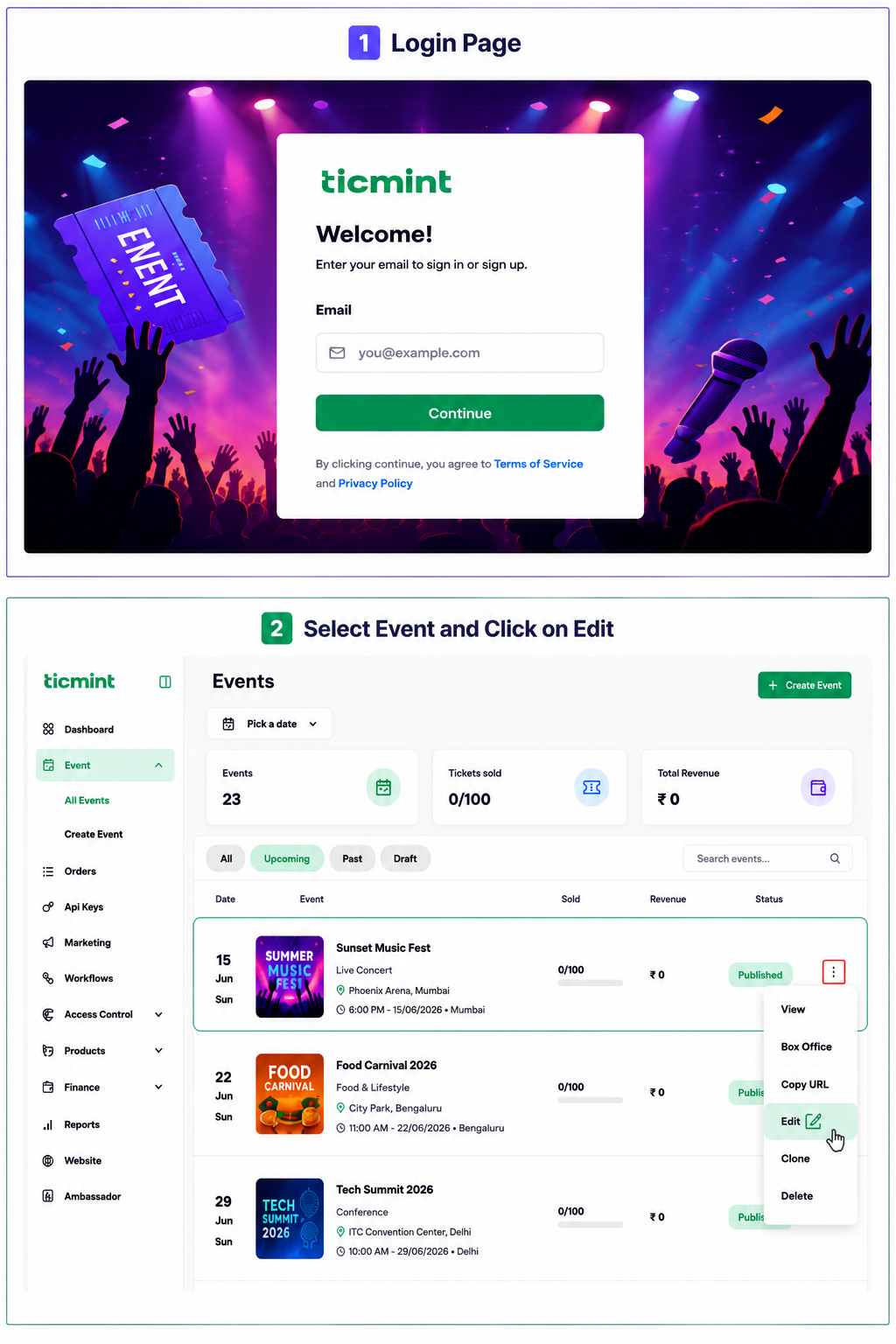
Login to the Ticmint Dashboard and select all event and click on edit.
Step 2: Theme builder
Click Theme Builder.
Click Change Layout and select Layout 3.
Go to the Details Section and select Container.
On the right side of the screen, enable or disable:
Event Date & Time
Host Name
Save your changes
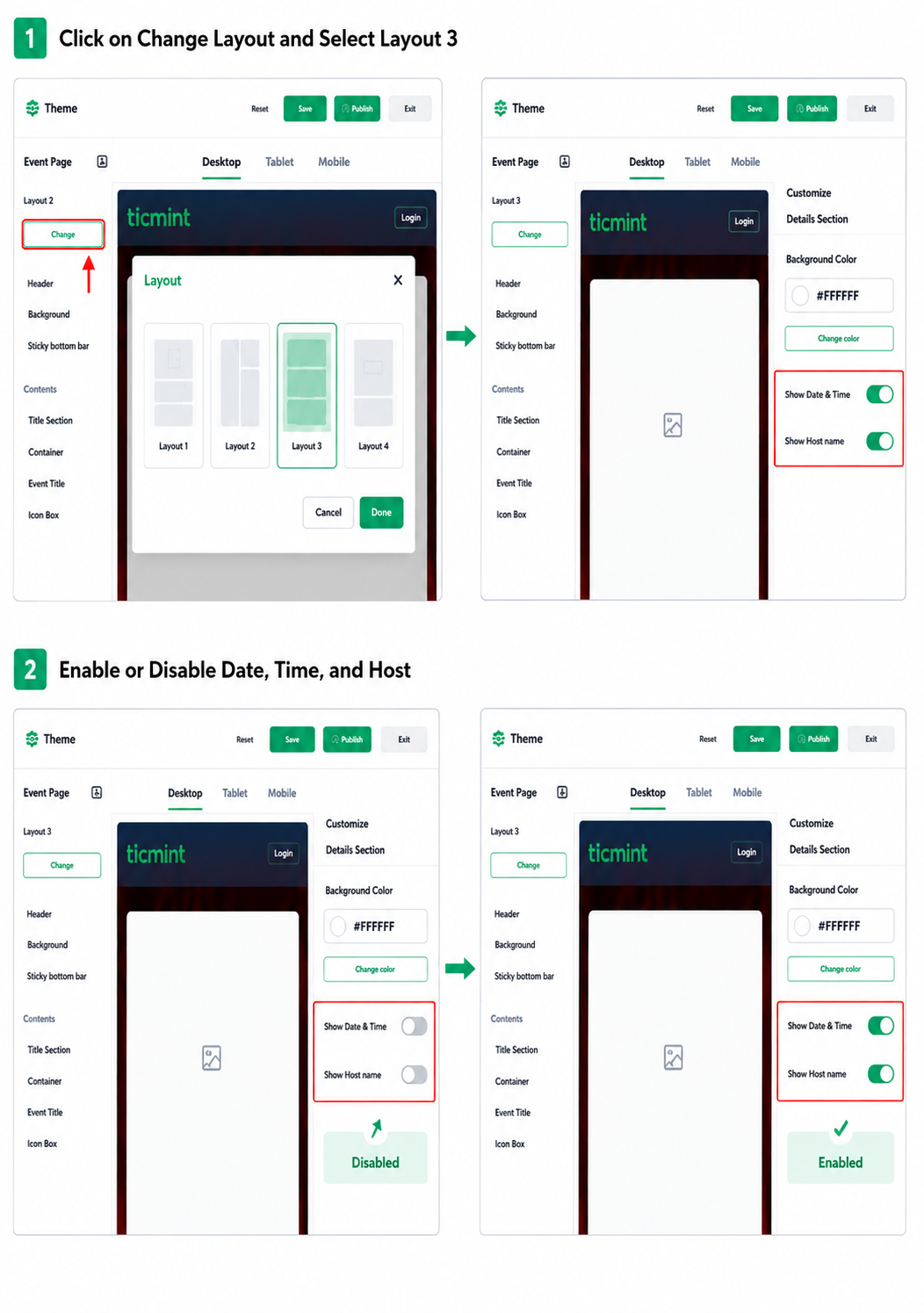
Note: This feature is available only in Layout 3. The changes apply only to the event page and do not affect the information displayed on tickets.
Learn more about white-label ticketing on the Ticmint website.
Was this article helpful?
That’s Great!
Thank you for your feedback
Sorry! We couldn't be helpful
Thank you for your feedback
Feedback sent
We appreciate your effort and will try to fix the article