Step 1: Access the Event
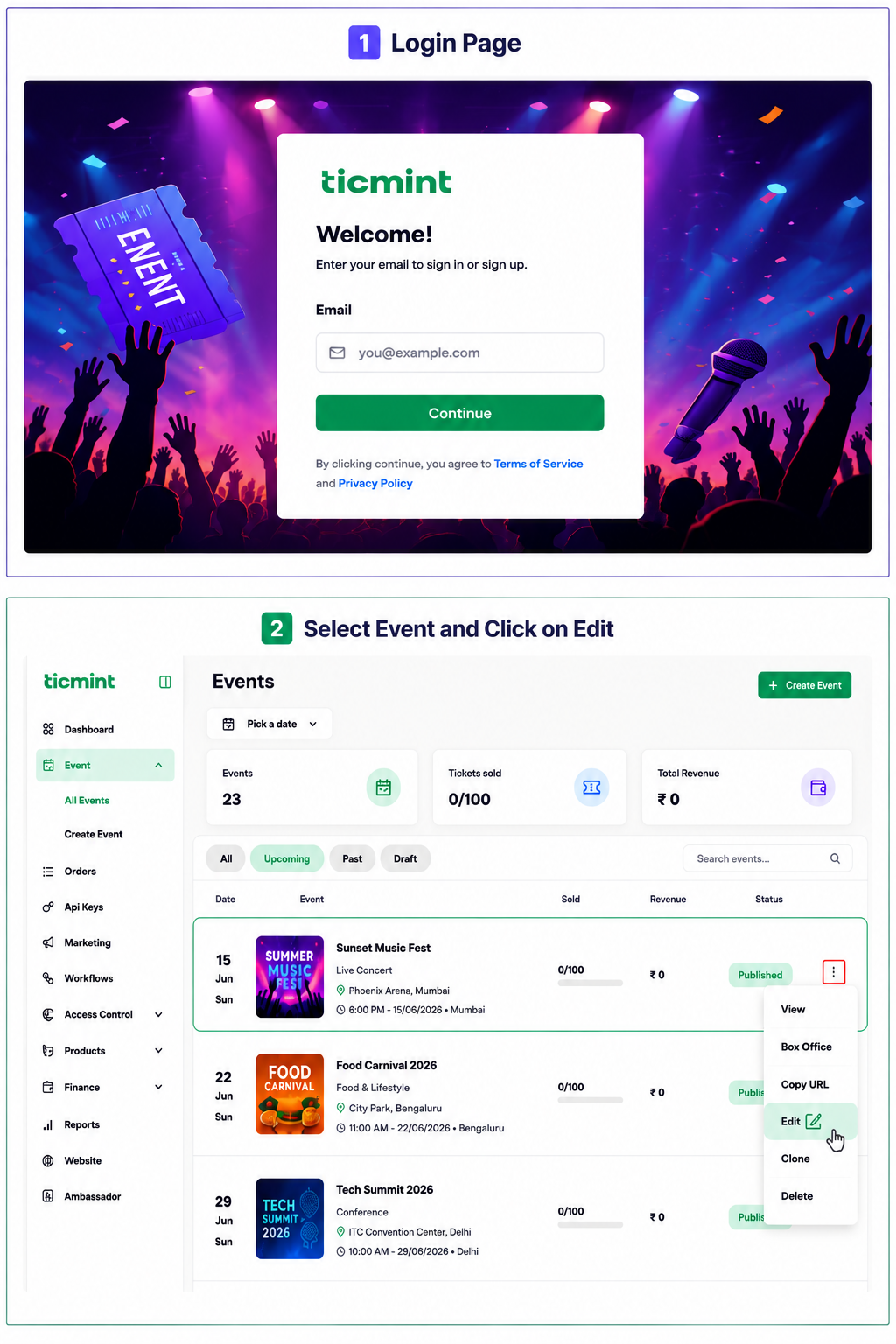
Log in to the Ticmint Dashboard, navigate to All Events, select the desired event, and click Edit.
Step 2: Add Agenda Details
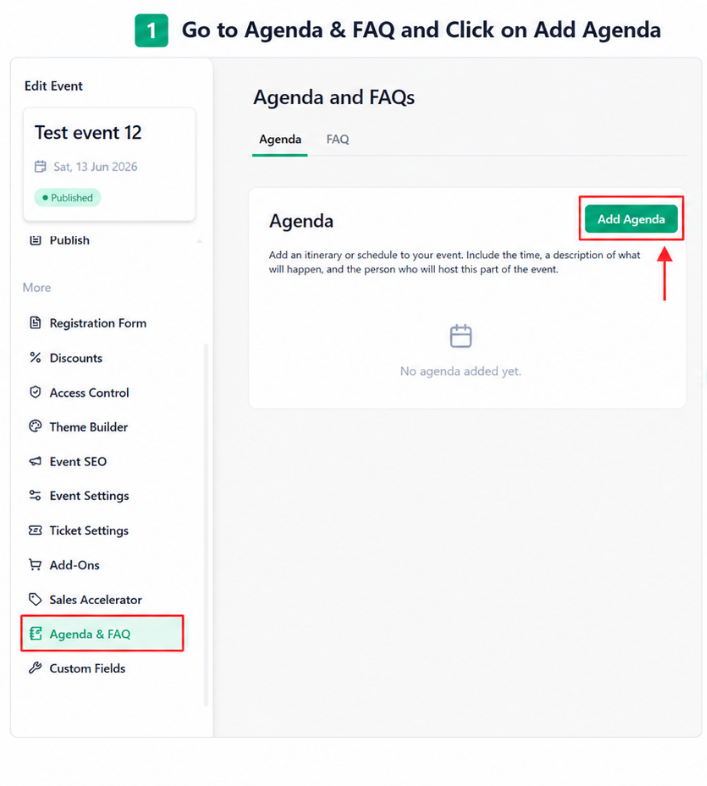
Go to Agenda & FAQ, then click Add Agenda and enter the required information.
☐ Click Add Agenda
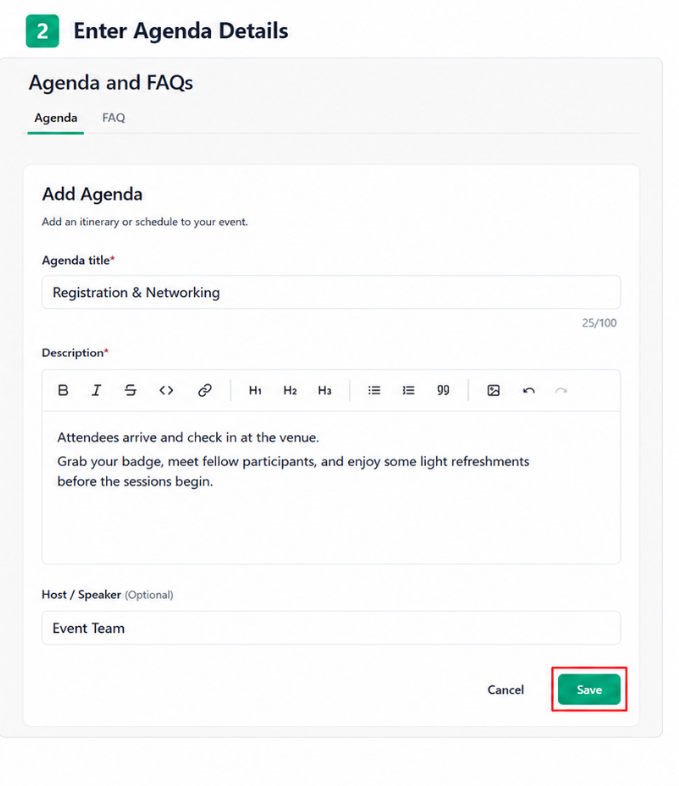
☐ Enter the Agenda Title
☐ Enter the Agenda Description
☐ Review the details
☐ Click Save
Important
Ensure the Agenda Title and Description are accurate and clearly written before saving, so attendees can easily understand the event schedule.
Learn more about event registration with Ticmint on the Ticmint website.
Was this article helpful?
That’s Great!
Thank you for your feedback
Sorry! We couldn't be helpful
Thank you for your feedback
Feedback sent
We appreciate your effort and will try to fix the article