To ensure a smooth transfer of your event earnings, please follow these steps to set up your payout information and understand our processing timelines.
1. How to Add Your Bank Details
Before we can process any payments, you must link a valid bank account to your Ticmint dashboard.
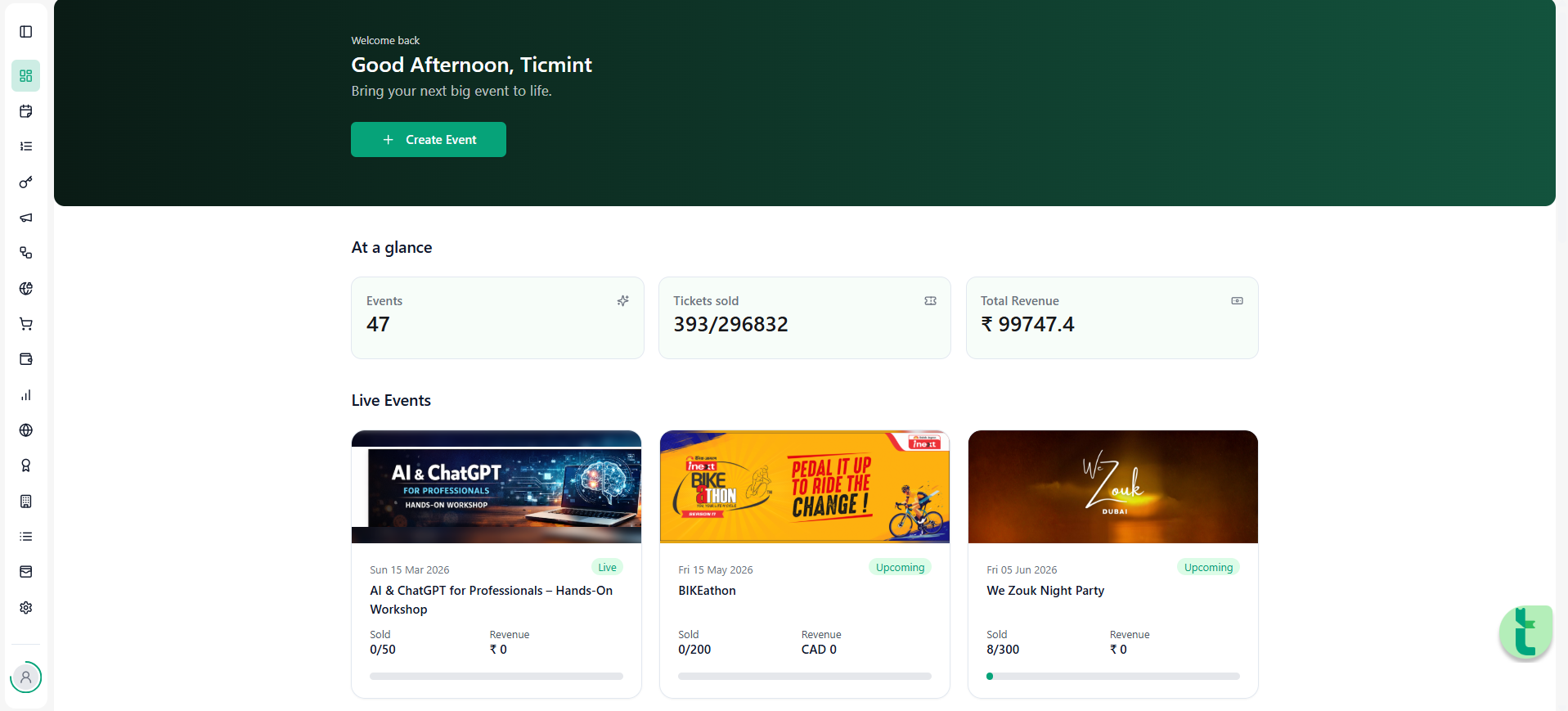
Step 1: Log in to your Ticmint Dashboard.
Step 2: On the left-hand sidebar, click on the Finance dropdown menu.
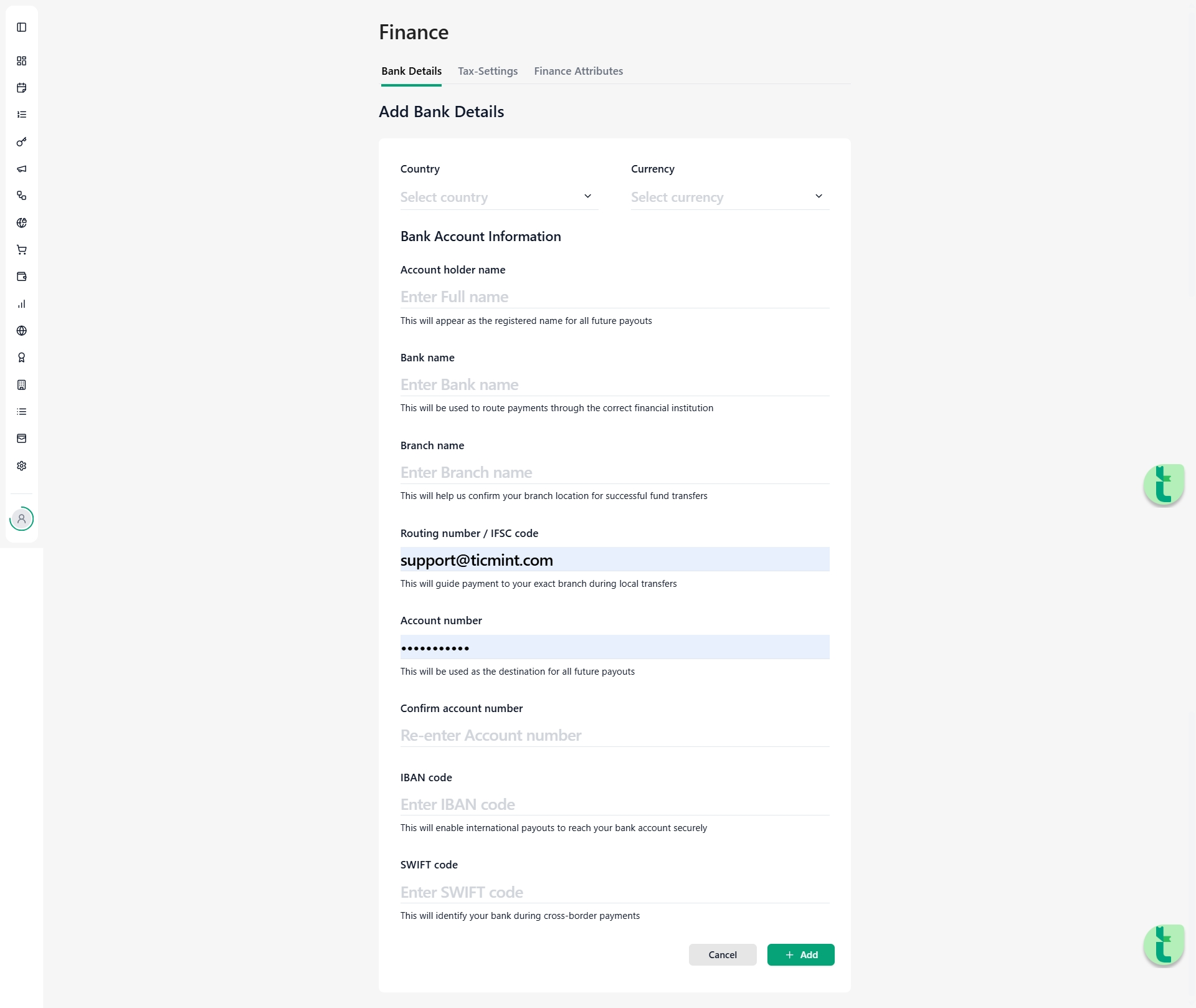
Step 3: Select Bank Details from the list.
Step 4: Fill in the required fields under the Add Bank Details section, including:
Account Holder Name (must match the name on the bank account).
Bank Name & Branch Name.
Routing Number / IFSC Code.
Account Number (you will be asked to confirm this for accuracy).
IBAN / SWIFT Code (required for international or cross-border payments).
Step 5: Click the green + Add button at the bottom of the page to save your details.
2. Payout Timeline
We follow a standard T+7 payout cycle to ensure all transactions are verified and secure.
When: Payouts are initiated 7 days after your event has successfully concluded.
Processing: Once initiated, it may take 1–3 business days for the funds to reflect in your account, depending on your bank's processing times.
? Pro-Tip
Double-check your IFSC Code or IBAN / SWIFT Code and Account Number. Incorrect details are the most common cause of delayed payouts!
Learn more about Ticmint plans and fees on the Ticmint website.
Was this article helpful?
That’s Great!
Thank you for your feedback
Sorry! We couldn't be helpful
Thank you for your feedback
Feedback sent
We appreciate your effort and will try to fix the article