Purchase Rules in Ticmint help you control how users select and purchase tickets. This feature is especially useful when you want to link certain tickets together or enforce specific booking conditions (like child tickets only with adult tickets).
How to Access Purchase Rules
To set up Purchase Rules, follow these steps:
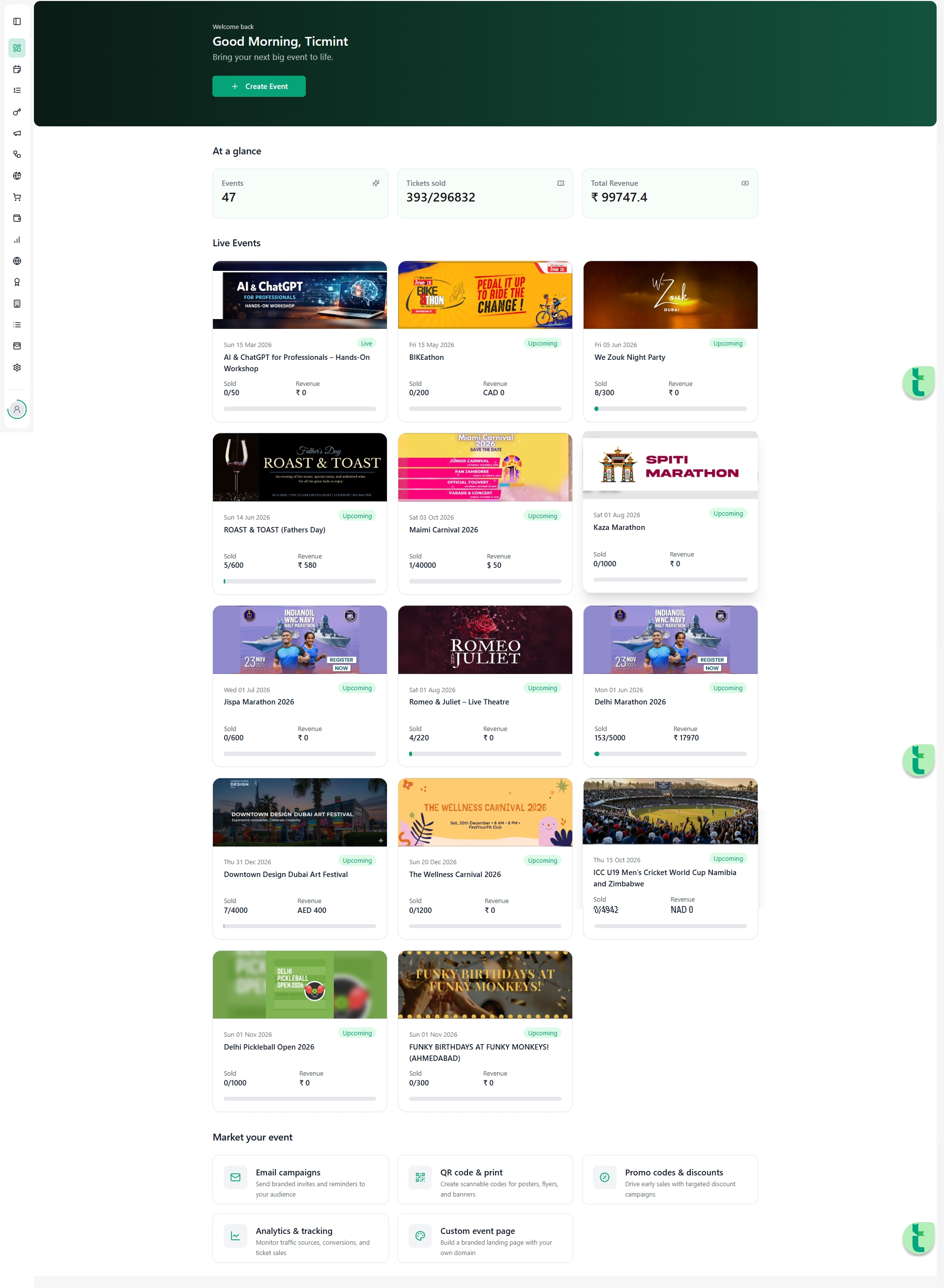
Log in to your Ticmint Dashboard
Go to All Events
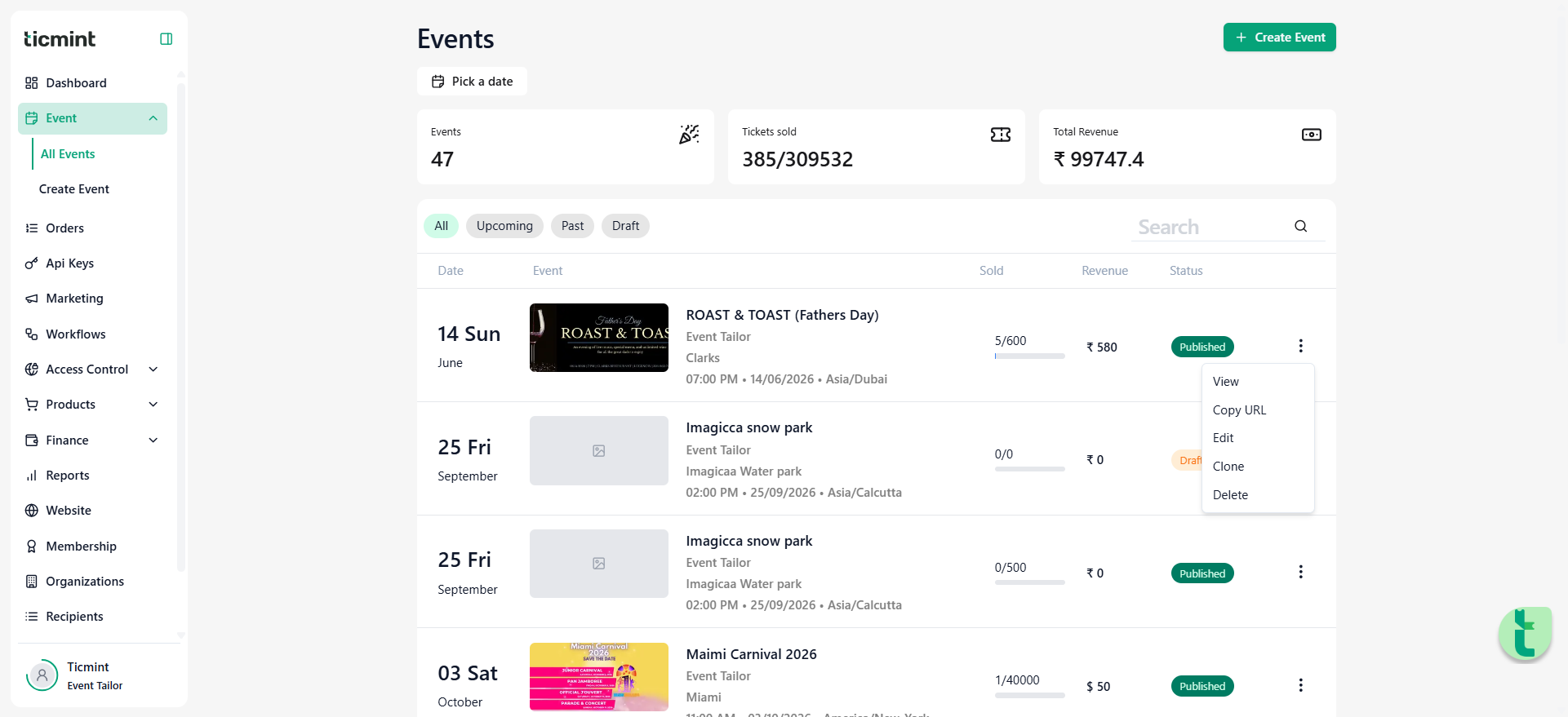
Select your event
Click on the right-side dropdown (⋮ / raindrop icon)
Choose Ticket Settings
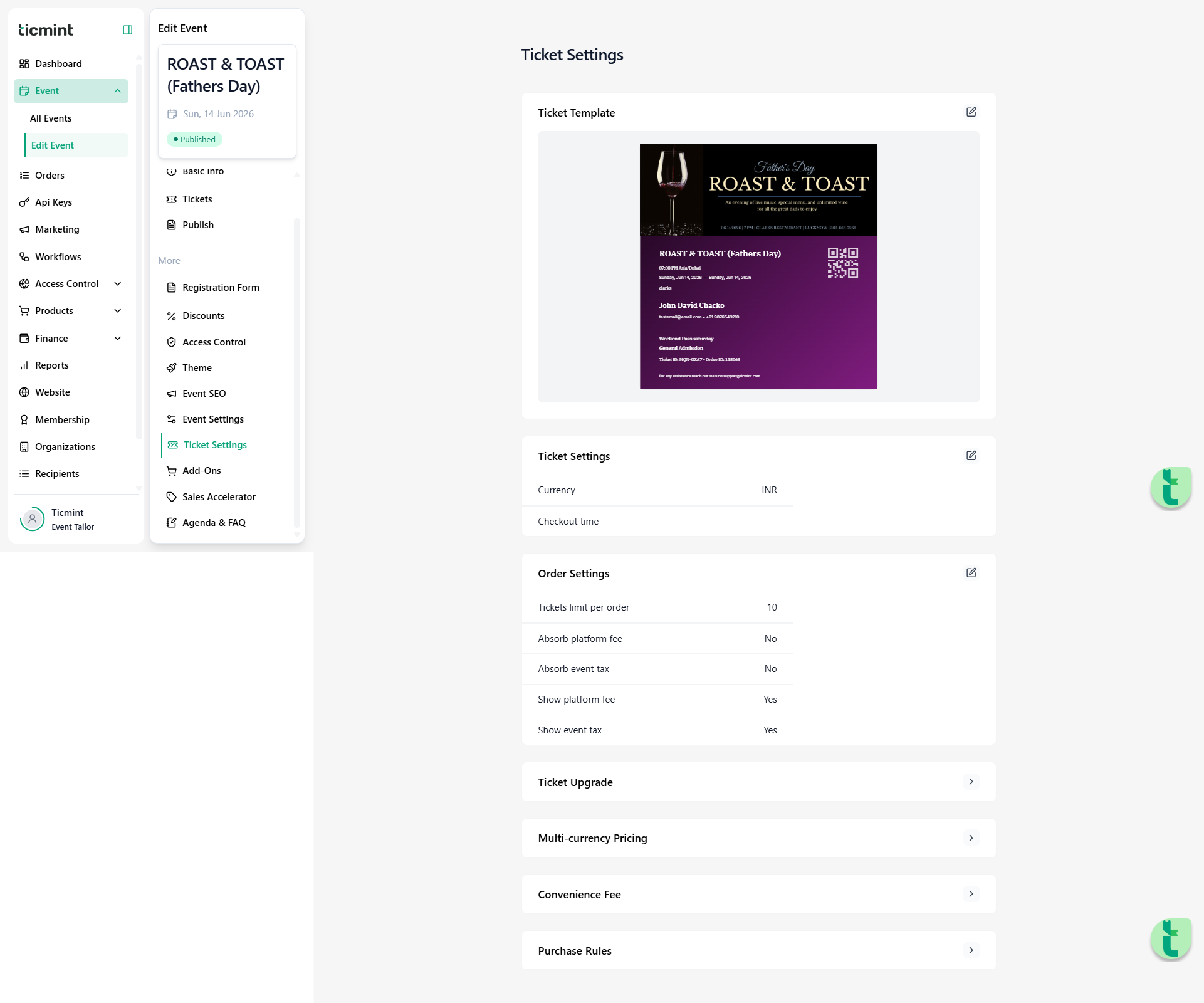
Scroll down to find Purchase Rules
Types of Purchase Rules
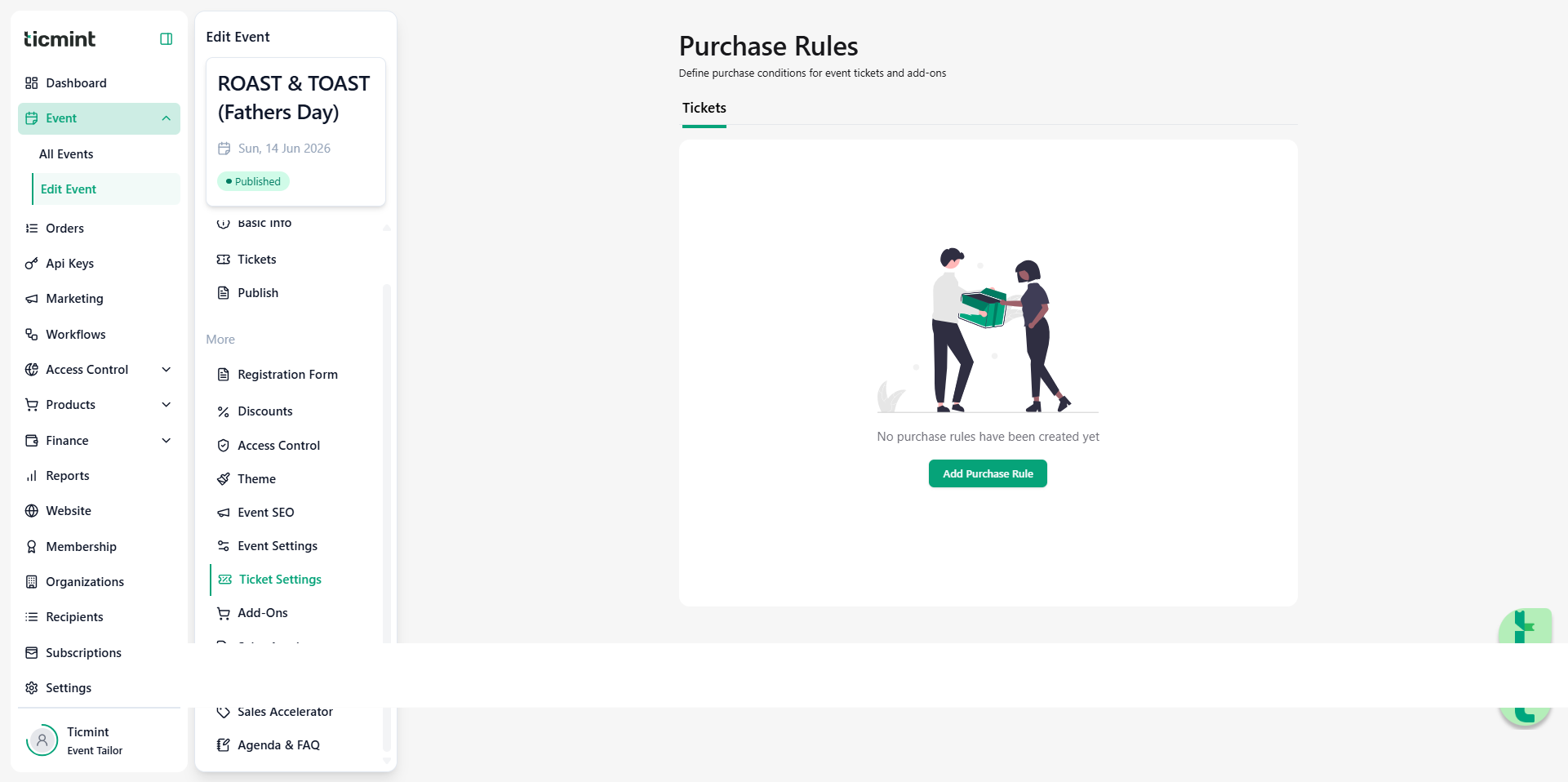
Ticmint provides two flexible options to manage ticket dependencies:
1. Requires Another Ticket
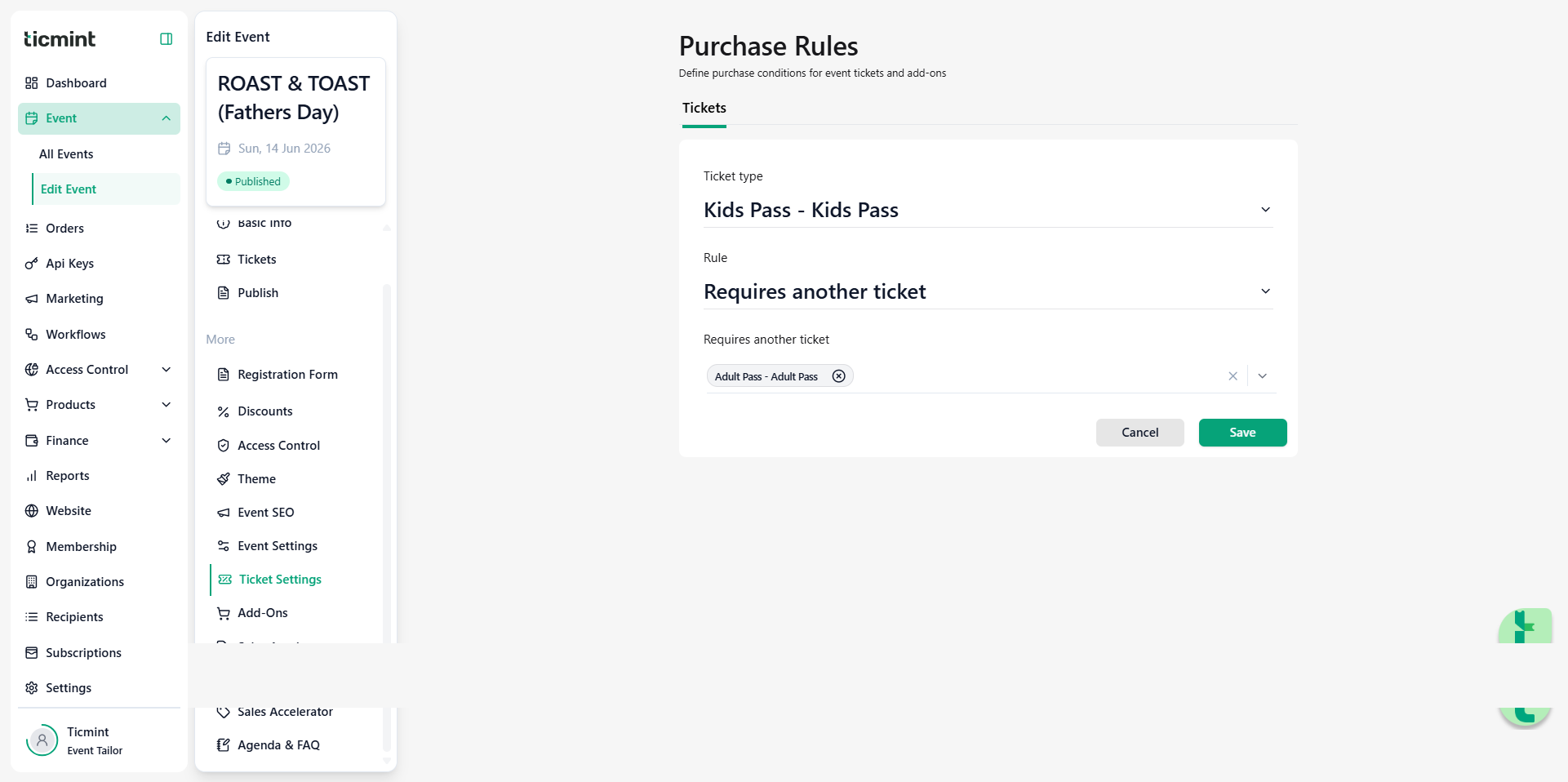
This rule ensures that a dependent ticket can only be selected if a primary ticket is already selected.
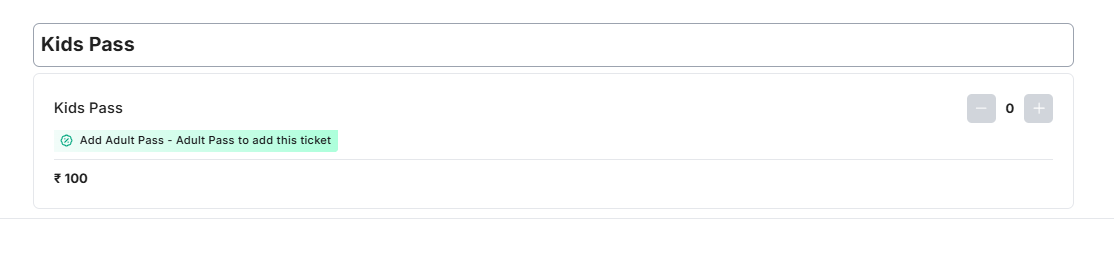
Example:
A Child Ticket can only be purchased if at least one Adult Ticket is selected.
✔ Prevents invalid bookings
✔ Ensures proper ticket combinations
2. Quantity Ratio
This option allows you to define a ratio between different ticket types.
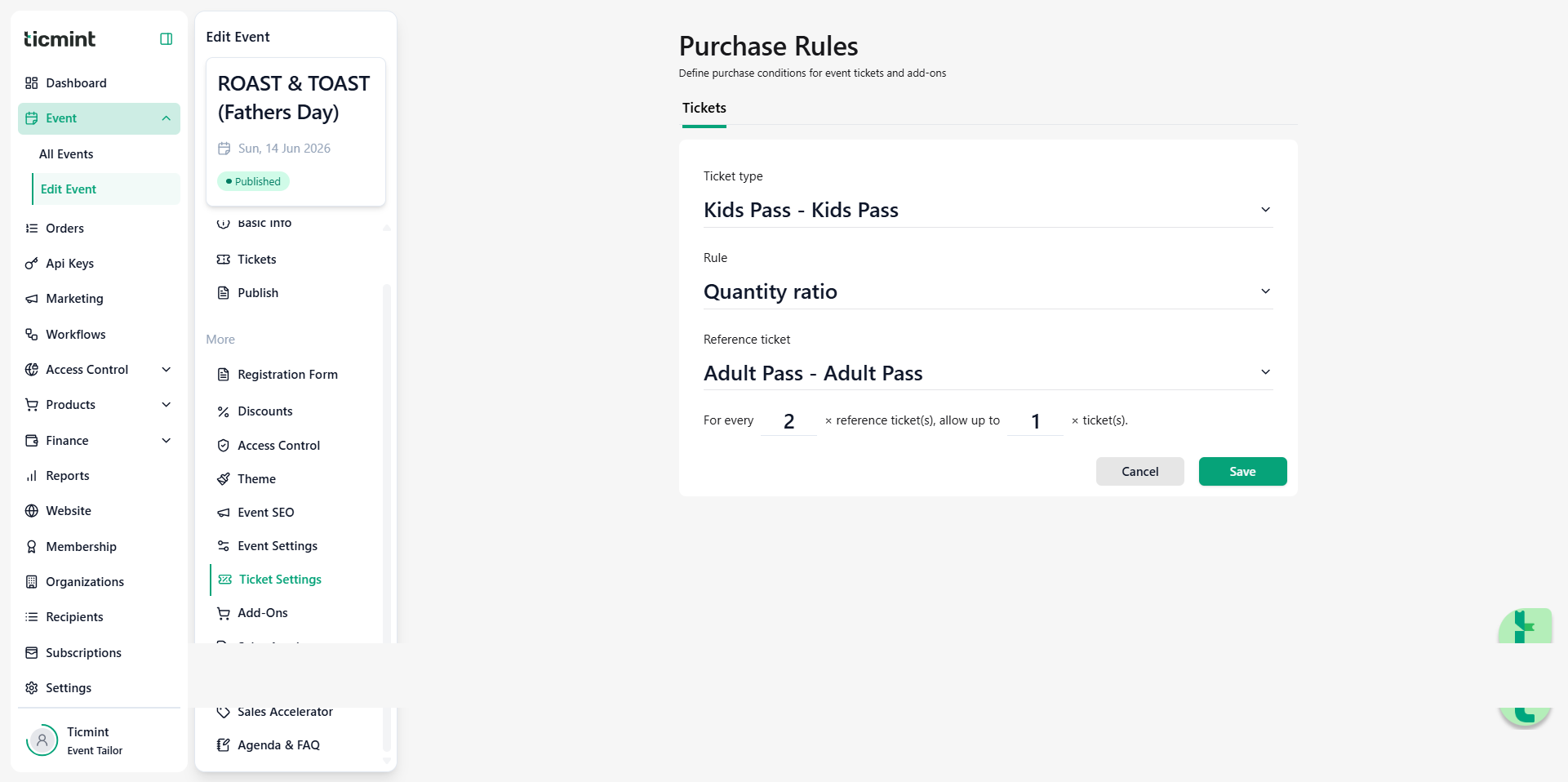
? Example:
You can set a rule like 2 Adults: 1 Child, meaning users must select 2 adult tickets before adding 1 child ticket.
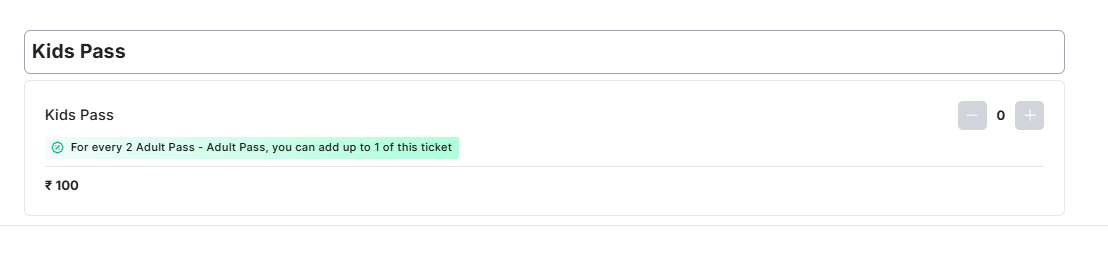
✔ Maintains structured booking ratios
✔ Useful for group or family-based events
Where These Rules Apply
These Purchase Rules are automatically enforced on the Explore Page, where users select their tickets.
This means:
Users will only be able to select valid ticket combinations
Invalid selections will be restricted in real-time
Why Use Purchase Rules?
Improve booking accuracy
Avoid incorrect ticket combinations
Create structured pricing and entry logic
Enhance user experience during checkout
Was this article helpful?
That’s Great!
Thank you for your feedback
Sorry! We couldn't be helpful
Thank you for your feedback
Feedback sent
We appreciate your effort and will try to fix the article