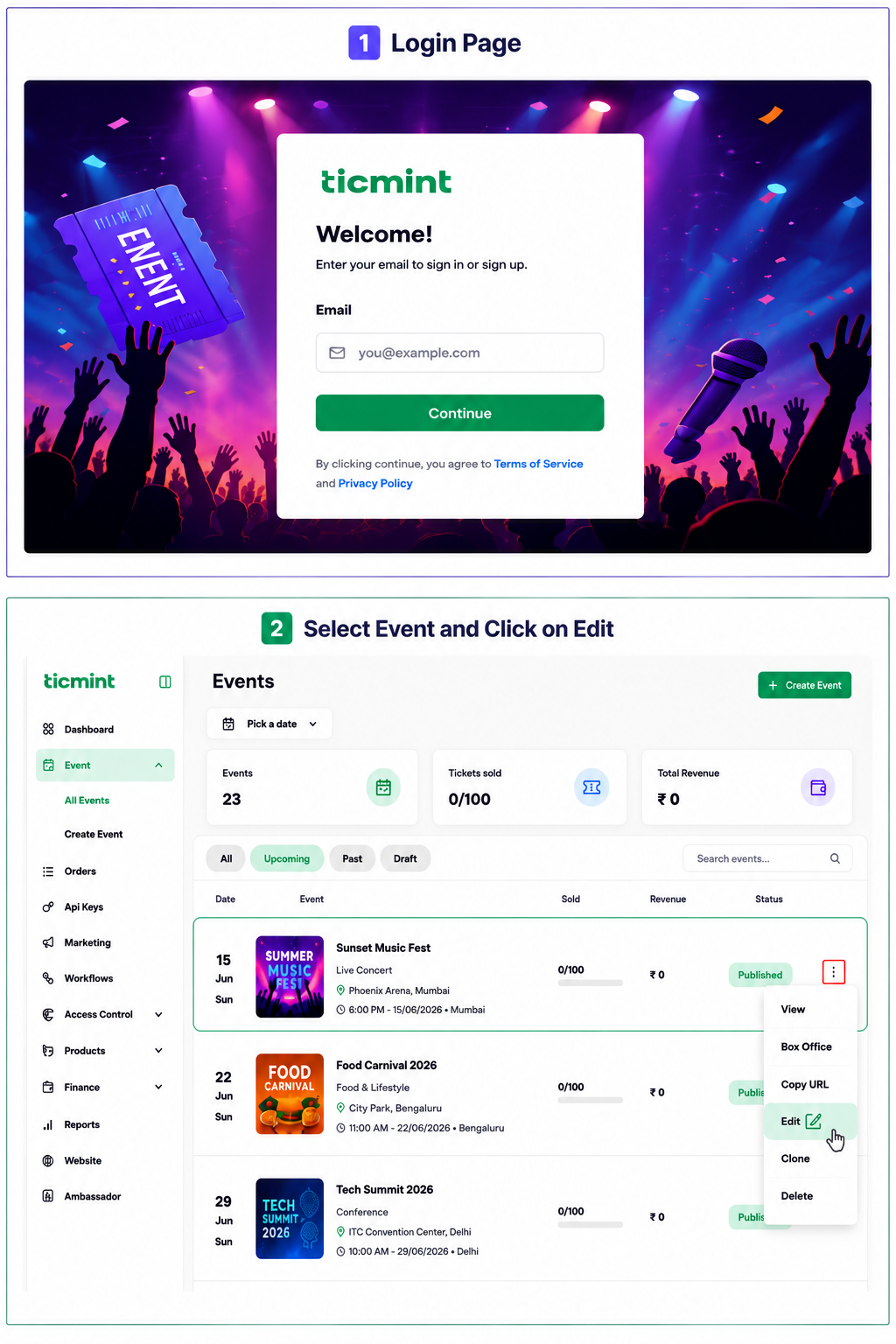
Step 1: Access Event Creation
Login to the Ticmint Dashboard and select all event and click on edit.
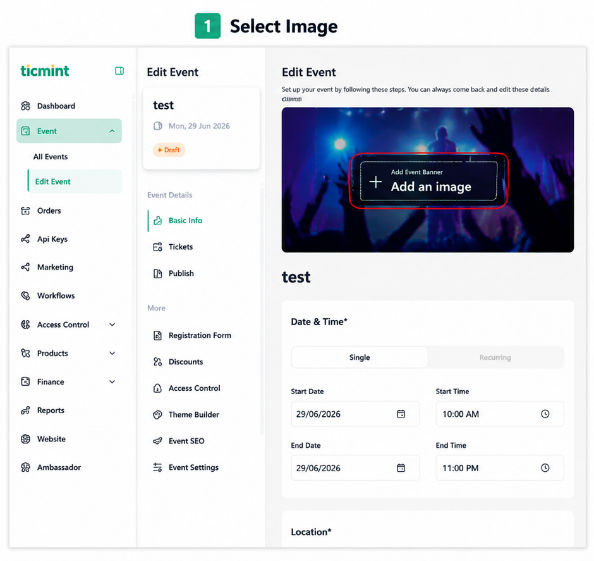
Step 2: Upload Event Image
Click on basic info and Click + Add an Image and upload an event banner or promotional image and click on Save.
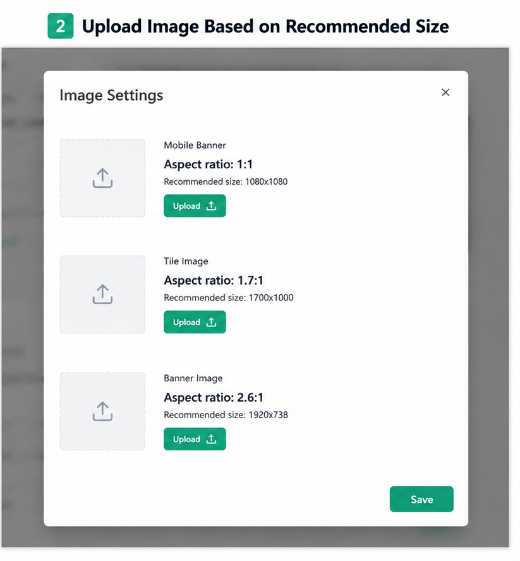
Banner image (Web): 1920 x 738 px
Banner image (Mobile): 1000 x 1000 px
Tile image (Listing Page): 1700 x 1000 px
Learn more about building an event page that drives registrations on the Ticmint blog.
Was this article helpful?
That’s Great!
Thank you for your feedback
Sorry! We couldn't be helpful
Thank you for your feedback
Feedback sent
We appreciate your effort and will try to fix the article