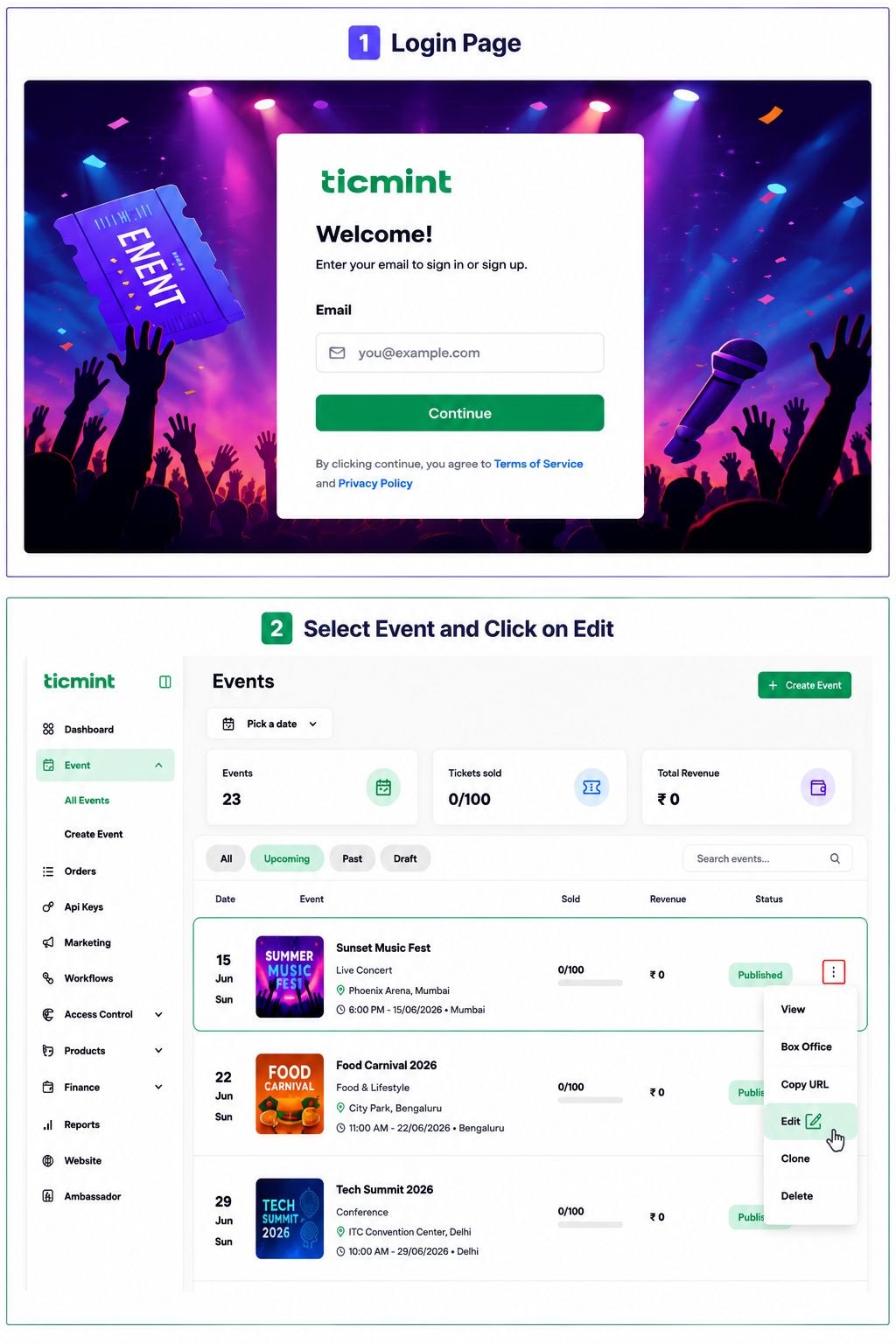
Step 1: Access Event Creation
Login to the Ticmint Dashboard and select all event and click on edit.
Step 2: Choose a Social Media Platform
Click on publish and Under Share Event with the World, select the preferred social media platform.
You can share the event through:

Step 3: Click on a Social Media Icon
Click on the icon of the social media platform where you want to promote the event.
Select the required social media icon
Open the social media sharing option
Provide Social Media Details
Upload the required promotional content for the event.
Preview the post
Click Upload / Share / Post
Important
Before sharing the event on social media, verify the event information, promotional content, event URL, and uploaded media to ensure accurate information is displayed to the audience.
Learn more about event marketing software on the Ticmint website.
Was this article helpful?
That’s Great!
Thank you for your feedback
Sorry! We couldn't be helpful
Thank you for your feedback
Feedback sent
We appreciate your effort and will try to fix the article