A visual pre-publish checklist for reviewing event setup, preview, and final publication.
Workflow Overview
1. Event Information to Verify
Event name is correct and no dummy/test name remains.
Event description is complete, readable, and free from spelling errors.
Event category and event type are correct.
For Single Events, verify the one-time date and time.
For Recurring Events, verify recurrence pattern and every occurrence date.
2. Event Image
Select the correct event image.
Upload the image based on the recommended size shown in Ticmint.
Confirm the image is clear, correctly cropped, and not stretched.
Check the image in preview on both desktop and mobile.
3. Date, Time & Recurrence
Start date, end date, start time, and end time are correct.
Time zone is correct.
Recurring-event frequency, interval, end rule, and occurrence dates are verified.
4. Venue / Location
Venue name and full address are correct.
City and map location are accurate.
For online events, verify the joining link and attendee instructions.
5. Tickets, Registration & Payment
Ticket name, price, quantity, and Free/Paid option are correct.
Ticket sales start and end dates are correct.
Minimum and maximum purchase limits are correct.
Required attendee fields, terms, consent, and confirmation message are configured.
Currency, taxes, fees, payment method, discounts, and promo codes are verified.
6. Preview Check
Event title, image, description, date, time, and venue display correctly.
Ticket options and booking flow work as expected.
Desktop and mobile views are checked.
No broken links, missing content, or dummy data remain.
7. Final Publish Check
All mandatory fields are complete.
Correct event visibility is selected: Public or Private.
Registration and ticket booking flow have been tested.
After publishing, open the live event page and verify it again.
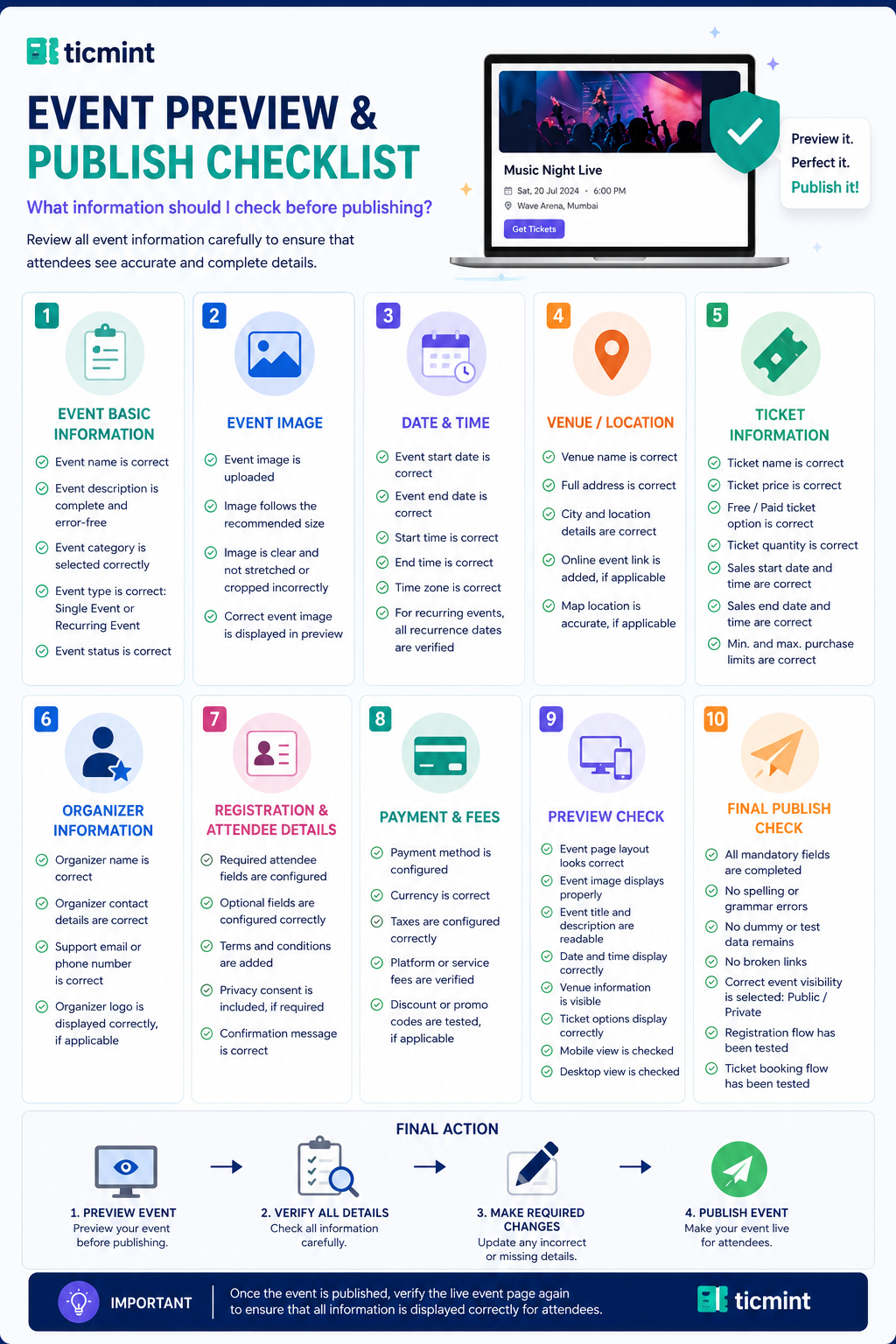
PREVIEW EVENT → VERIFY ALL DETAILS → MAKE REQUIRED CHANGES → PUBLISH EVENT
Learn more about planning your event timeline on the Ticmint blog.
Was this article helpful?
That’s Great!
Thank you for your feedback
Sorry! We couldn't be helpful
Thank you for your feedback
Feedback sent
We appreciate your effort and will try to fix the article