Step 1: Access Event Creation
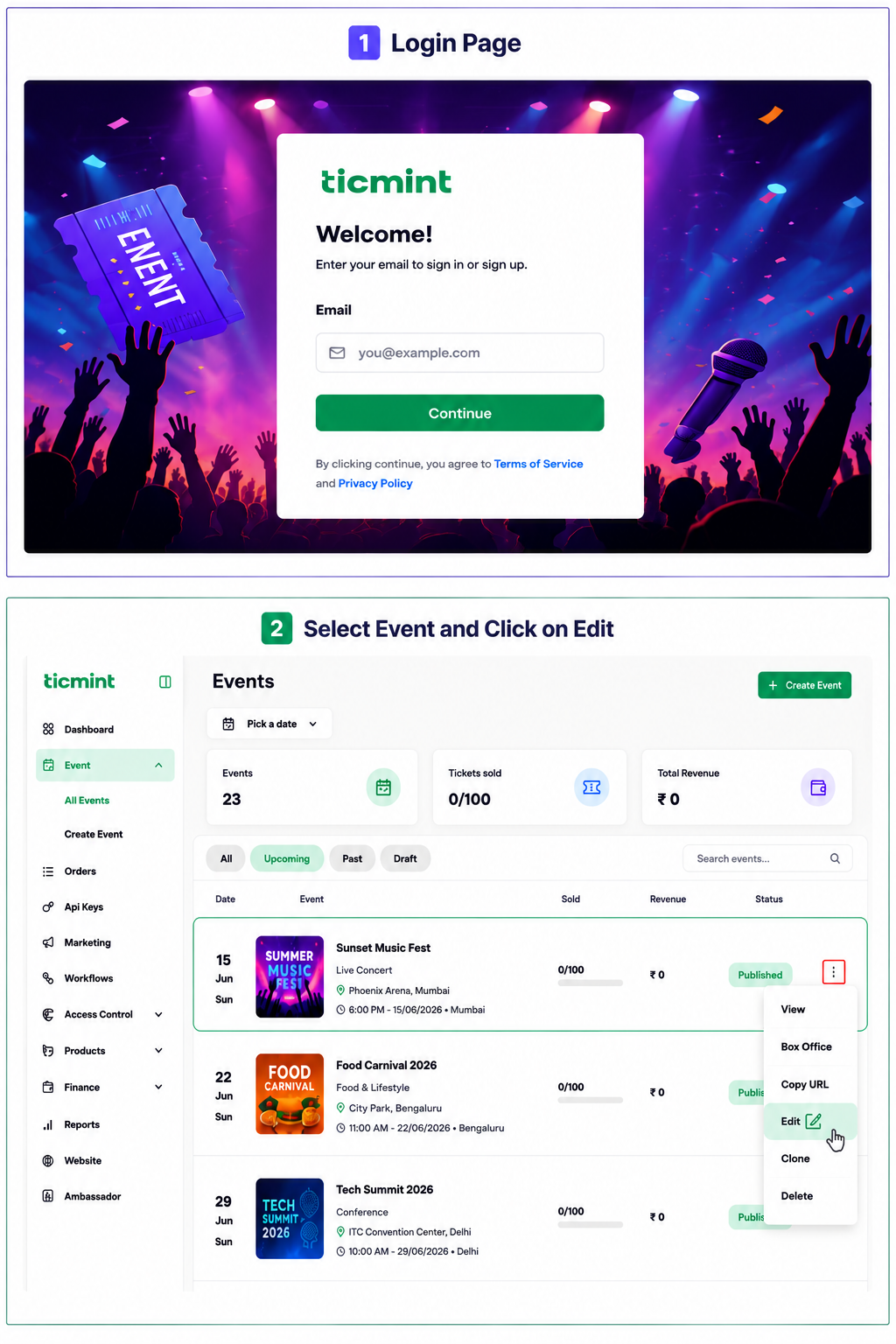
Login to the Ticmint Dashboard and select all event and click on edit.
Step 2: Copy the Event URL
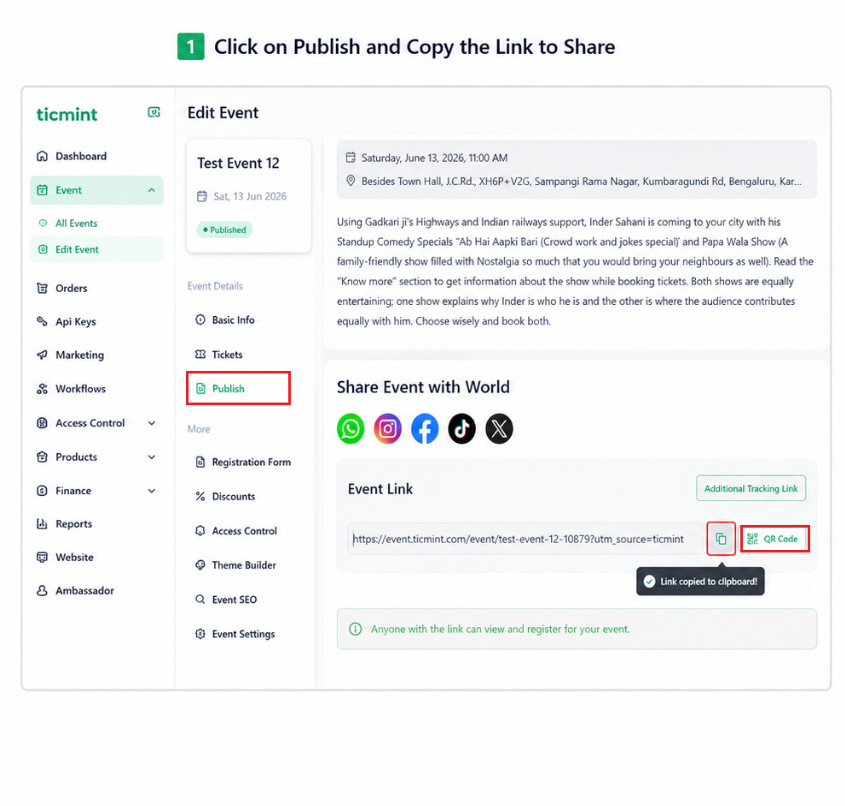
Once the event is published, copy the generated event link to share it with attendees.
☐ Click Copy Link / Copy URL
☐ Confirm the event URL is copied successfully
☐ Share the URL through email, WhatsApp, social media, or other communication channels
Step 3: Download and Share the QR Code
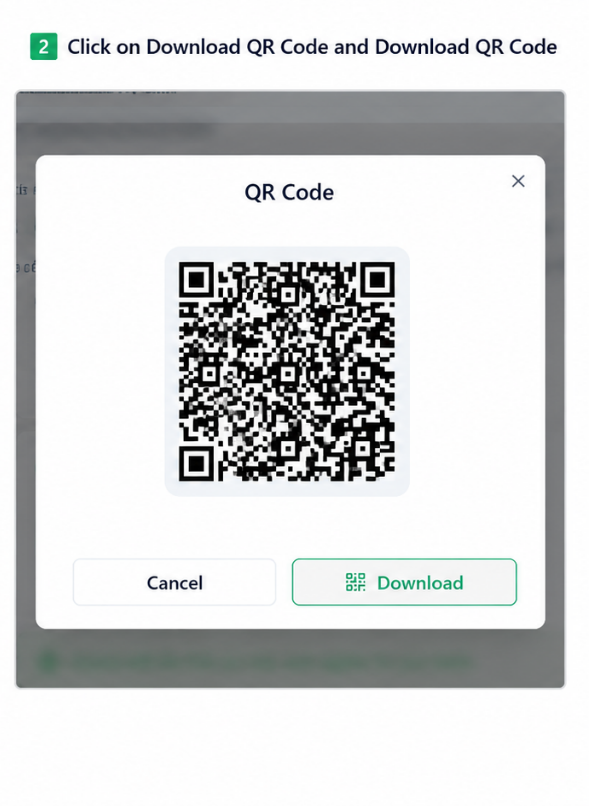
For quick access to the event page, use the QR code option.
☐ Click the QR Code icon
☐ Preview the generated QR code
☐ Click Download QR Code
☐ Save the QR code image
☐ Share the QR code digitally or use it on posters, banners, invitations, and promotional materials
Learn more about Ticmint's event marketing tools on the Ticmint website.
Was this article helpful?
That’s Great!
Thank you for your feedback
Sorry! We couldn't be helpful
Thank you for your feedback
Feedback sent
We appreciate your effort and will try to fix the article