Follow the steps below to upload your Terms and Conditions to your Ticmint website:
1. Log in to the Ticmint Dashboard.
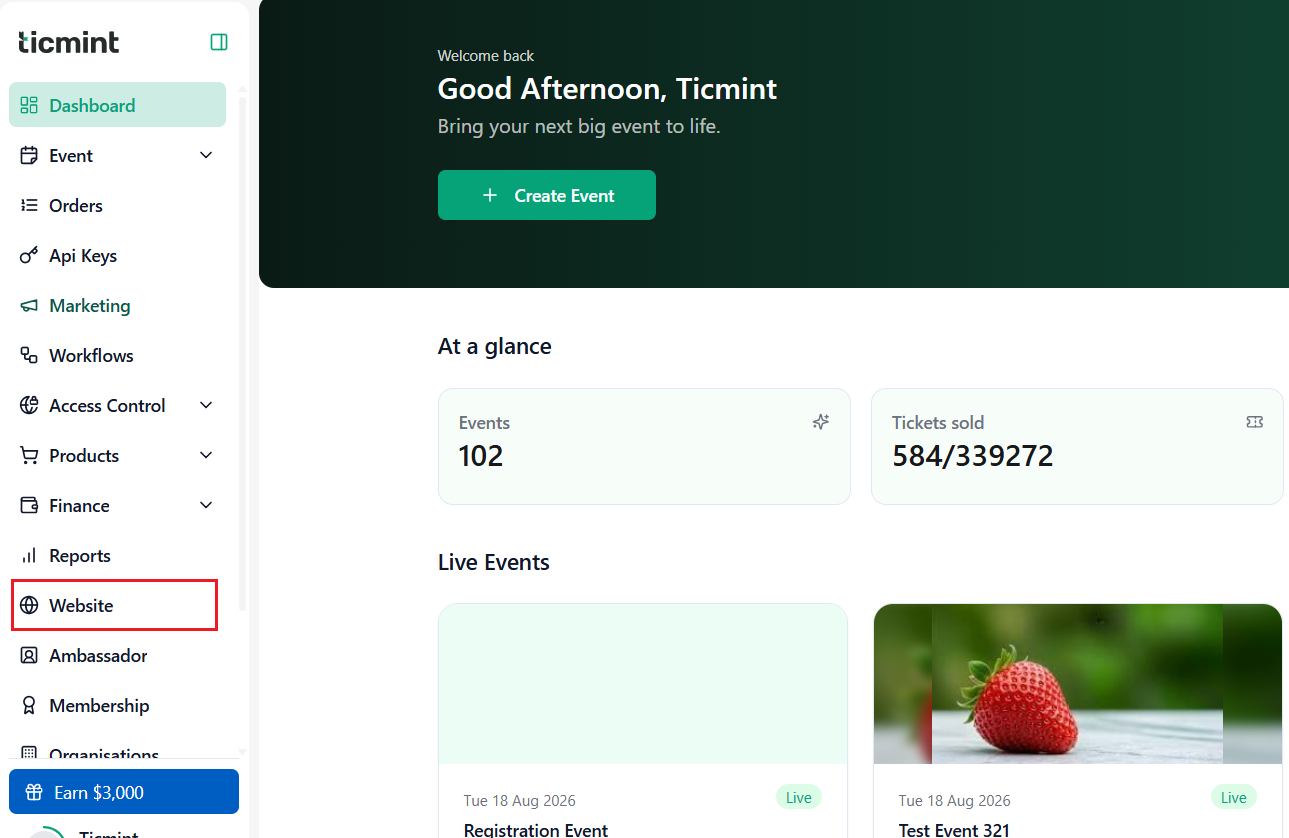
2. From the dashboard, go to Website.
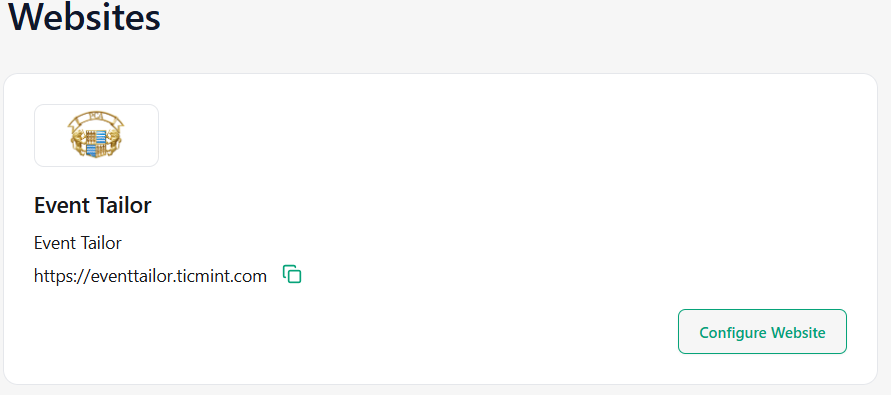
3. Click on Configure Website.
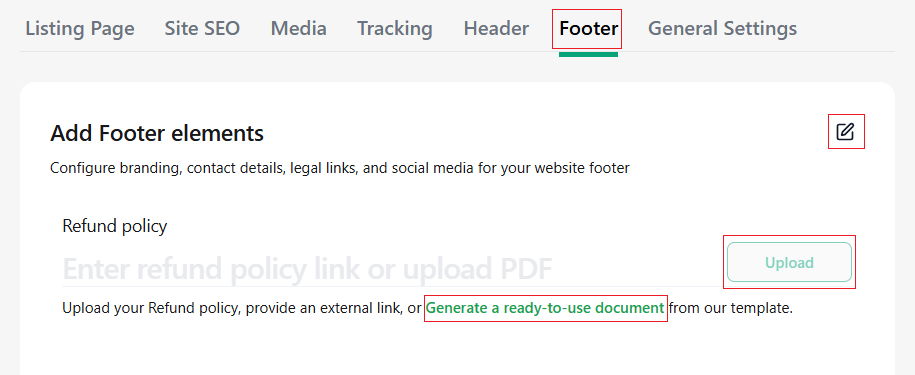
4. Select Footer and click Edit.
5.Click Upload and upload your Refund policy document.
6.If you need a ready-to-use document, click Generate to create a document from the available templates.
7.Click Save to confirm and apply the changes.

Learn more about branded ticketing on your own domain on the Ticmint website.
Was this article helpful?
That’s Great!
Thank you for your feedback
Sorry! We couldn't be helpful
Thank you for your feedback
Feedback sent
We appreciate your effort and will try to fix the article