An RSVP-only event in Ticmint allows attendees to confirm their attendance without a mandatory ticket purchase. It is ideal for events focused on tracking attendance and managing guest lists.
RSVP Options
No Tickets – Attendees simply RSVP to confirm attendance.
Free Tickets – Attendees reserve a free ticket while confirming.
Paid Tickets – Attendees purchase a ticket to confirm participation.
Key Benefits
Track confirmed attendees
Manage guest lists from the dashboard
Estimate attendance for better planning
Support no-ticket, free, or paid event setups
Provide a quick and simple RSVP experience
Summary: Choose an RSVP-only event when you want to easily collect attendance confirmations and manage your guest list.
Enabling RSVP Event
Login to the Ticmint Dashboard and select all event and click on edit.
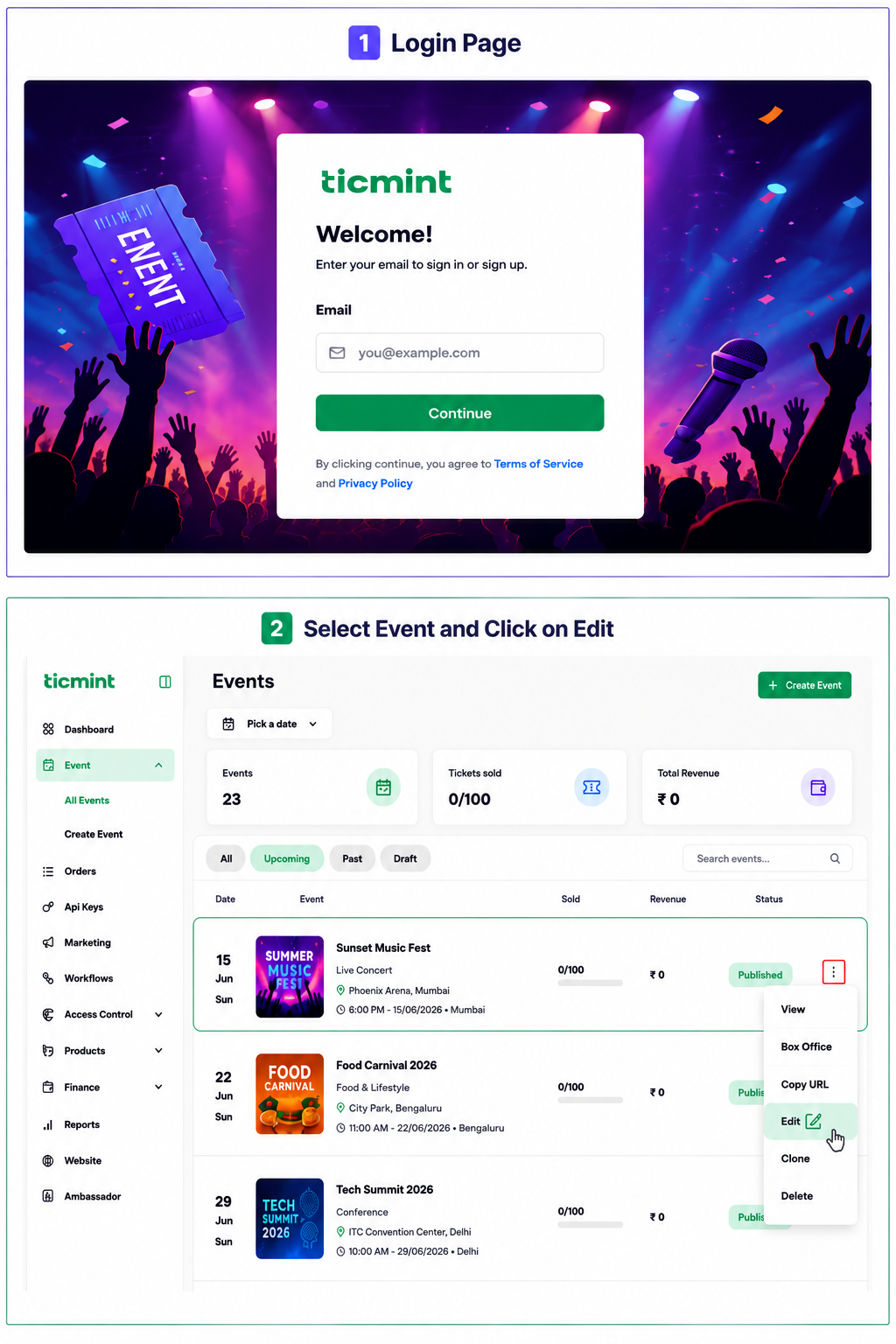
Enable the RSVP if required

Learn more about driving event registrations on the Ticmint blog.
Was this article helpful?
That’s Great!
Thank you for your feedback
Sorry! We couldn't be helpful
Thank you for your feedback
Feedback sent
We appreciate your effort and will try to fix the article