Overview
Access Control allows event organisers to manage and control who can enter the event venue or specific areas within it. By using access control settings, organisers can ensure that only authorised ticket holders, staff, or volunteers are allowed entry.
This system improves security, crowd management, and attendee experience by enabling structured ticket validation and controlled entry points.
Managing Validators
Login to ticmint dashboard
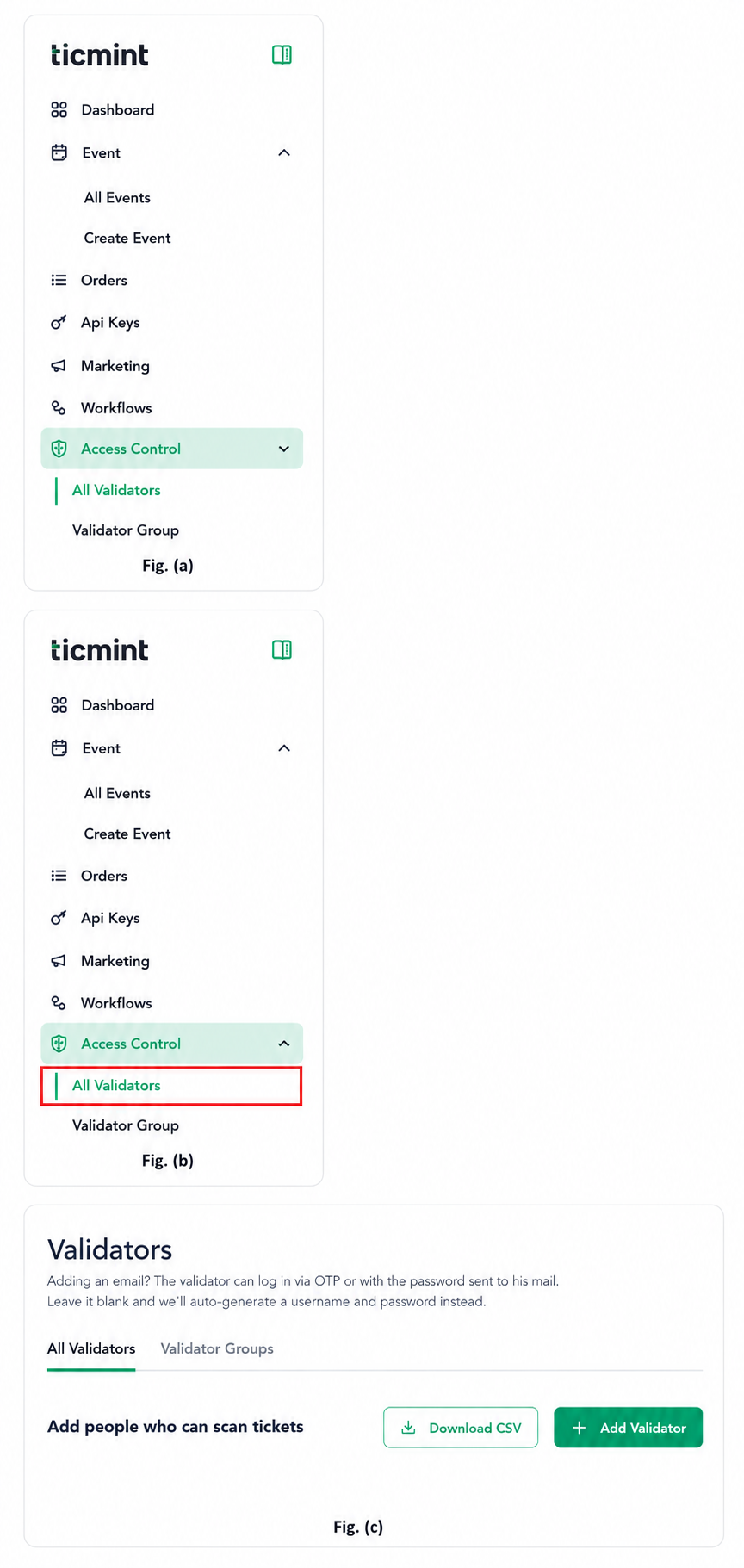
- Click Access Control. Fig. (a)
- Click All Validators. Fig. (b)
On the Validators page, you will find two options: Fig. (c)
Download CSV – Download the list of existing validators.
+ Add Validator – Add validators manually, one at a time.
Add a Validator
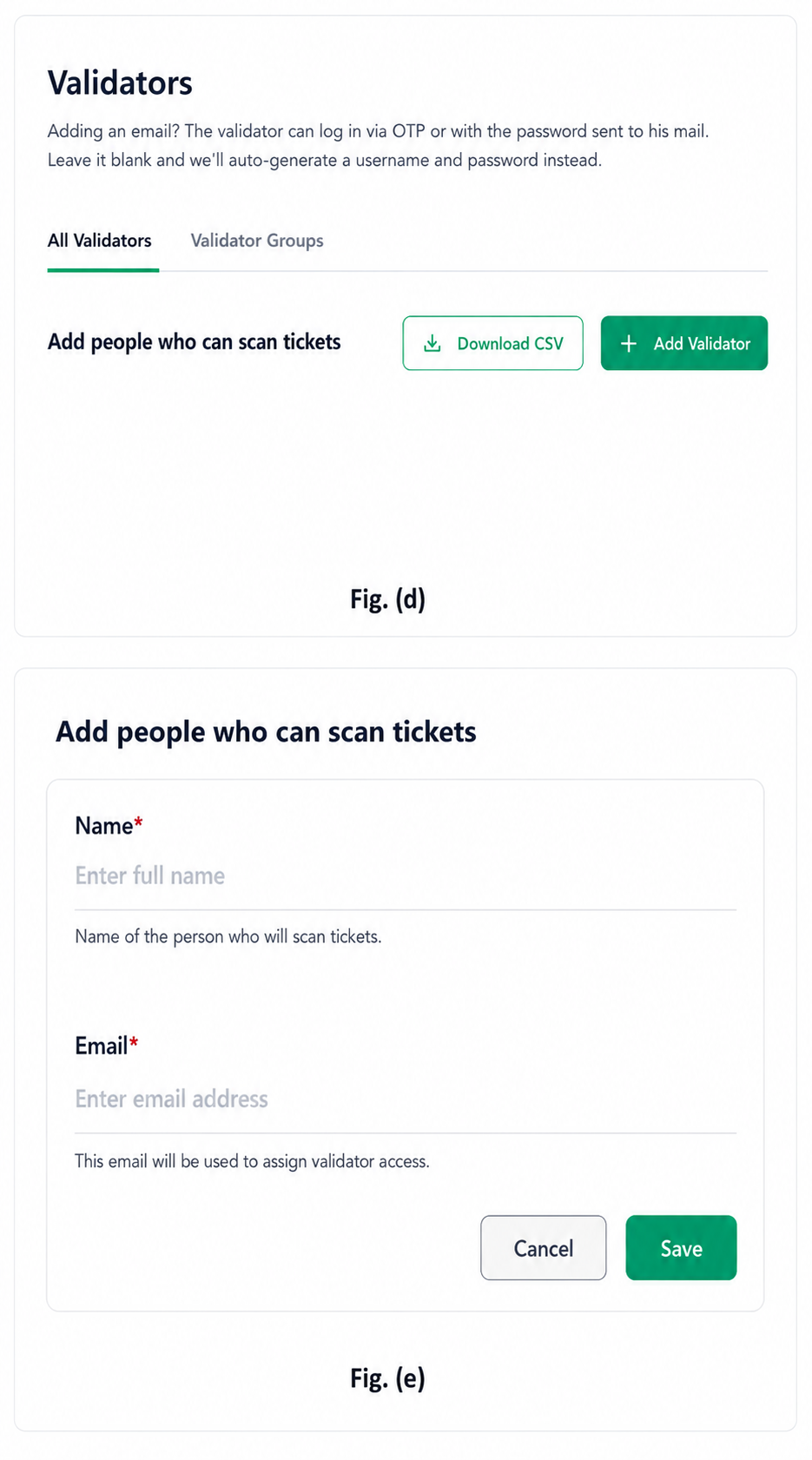
Click Add Validator. Fig. (d)
Enter the following details: Fig. (e)
Name – Name of the person who will scan tickets.
Email – Email address used to assign validator access.
Click Save to add the validator.
Validator Groups
Validator Groups help organisers create groups of validators and assign them to events easily.
Create a Validator Group
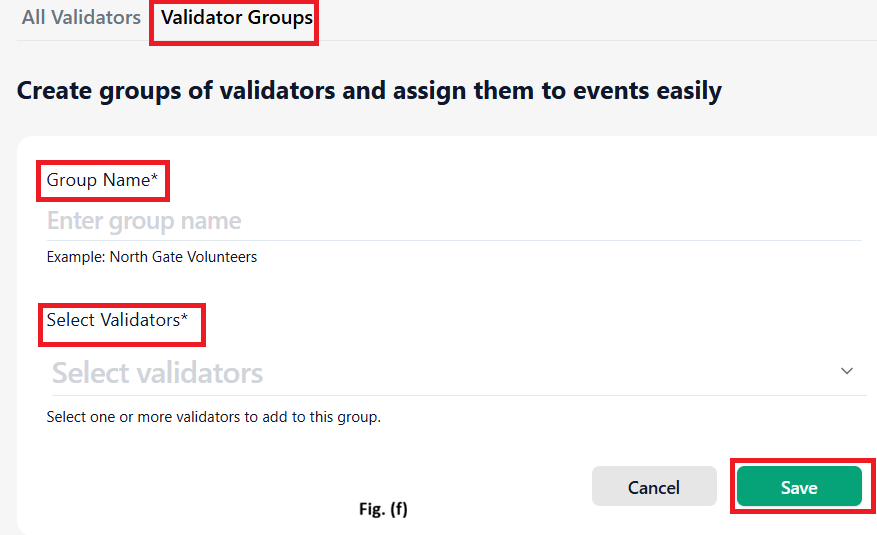
Click Validator Groups.
Enter the Group Name.
Example: North Gate Volunteers
Click the Select Validators dropdown.
Select one or more validators to add to the group.
Click Save.
Result
Validators can be assigned to events and grouped for easier management.
Access permissions can be controlled through custom validation rules.
Ticket validation becomes more secure and organised.
Event organisers can efficiently manage entry points and authorised personnel.
Learn more about enterprise event ticketing on the Ticmint website.
Was this article helpful?
That’s Great!
Thank you for your feedback
Sorry! We couldn't be helpful
Thank you for your feedback
Feedback sent
We appreciate your effort and will try to fix the article