Step 1: Access Event Creation
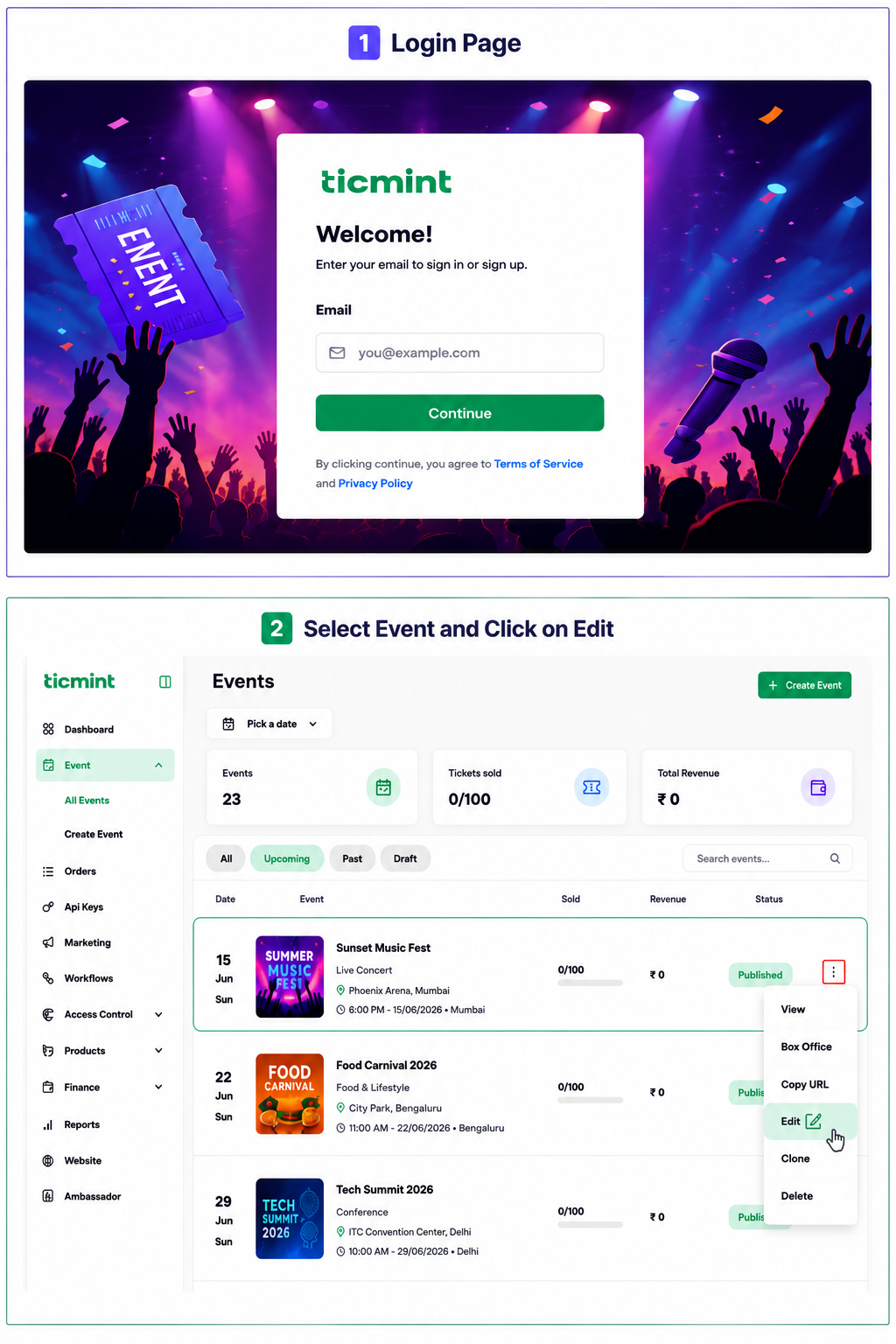
Login to the Ticmint Dashboard and select all event and click on edit.
Step 2: Click on Email Marketing
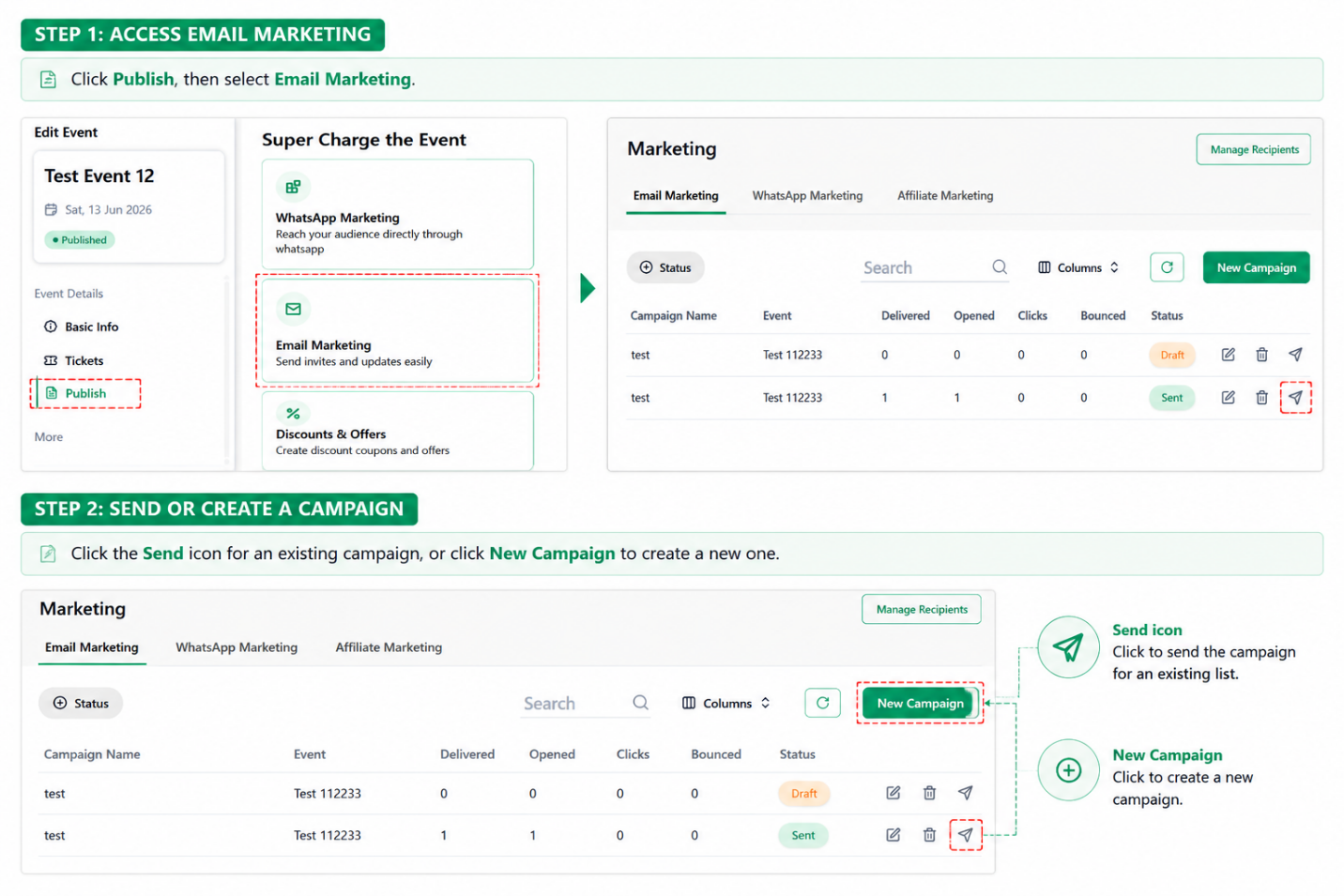
Once the event is published, click Publish, scroll down, and select Email Marketing
Step 3: Send an Existing Campaign
If a campaign has already been created:
☐ Select the existing campaign
☐ Review the campaign details
☐ Verify the email content and recipient information
☐ Click Send to send the email campaign
Step 4: Create a New Campaign
If no campaign has been created, click New Campaign.
☐ Click New Campaign
☐ Enter the campaign details
☐ Add the campaign name
☐ Enter the required email details
☐ Select or add recipients
☐ Review the email content
☐ Click Continue
Step 5: Review and Send the Email
Before sending the campaign:
☐ Verify campaign details
☐ Check recipient information
☐ Review the email subject and content
☐ Confirm the event information and links are correct
☐ Click Send
Important
Before sending the email campaign, verify the recipient list, email content, event details, and event link to avoid sending incorrect information to attendees.
Learn more about built-in event marketing on the Ticmint website.
Was this article helpful?
That’s Great!
Thank you for your feedback
Sorry! We couldn't be helpful
Thank you for your feedback
Feedback sent
We appreciate your effort and will try to fix the article