This document provides a step-by-step guide to help organisers create and manage memberships using the Membership feature in the Ticmint Support Portal.
Memberships can be used to provide exclusive access to members-only events, special ticket access, and attendee verification through QR codes.
Step 1: Log in to the Dashboard
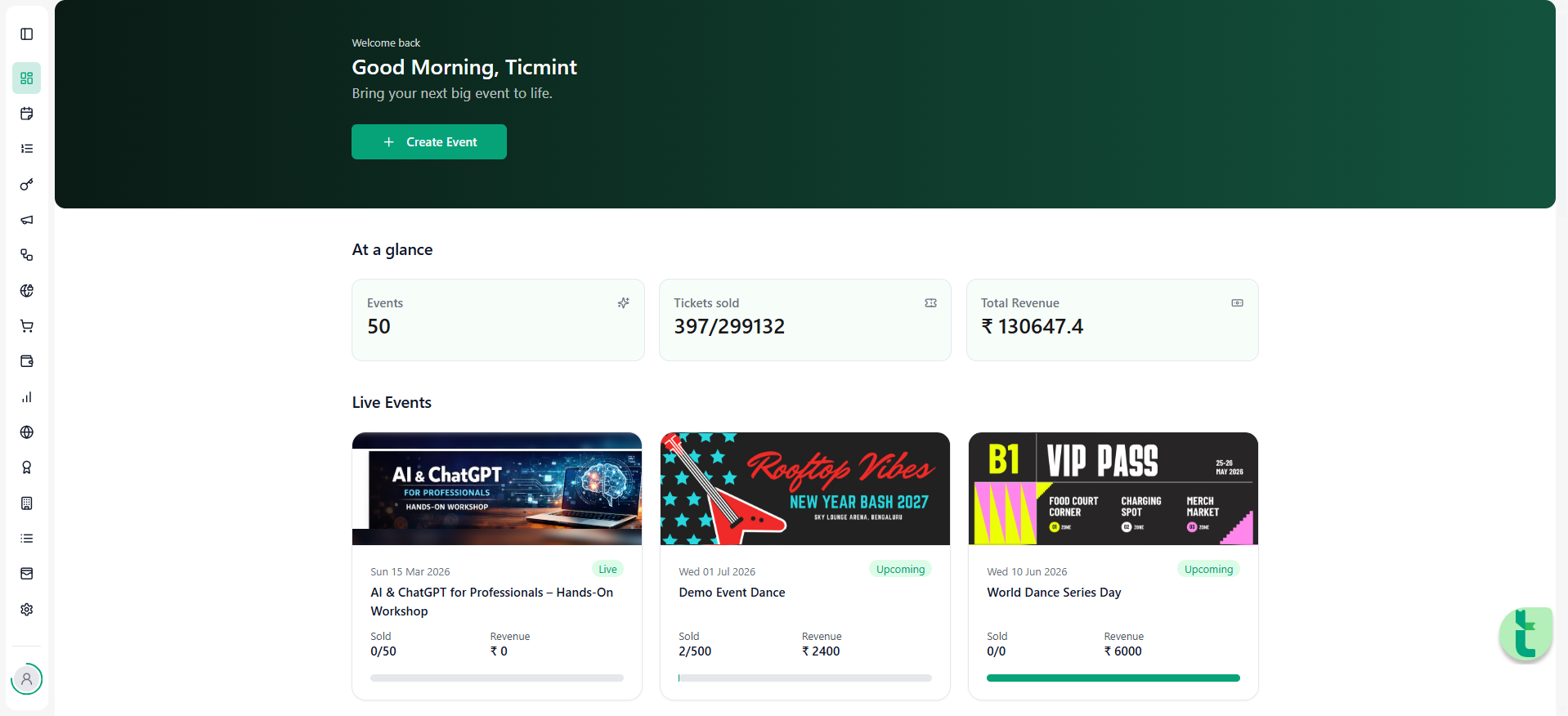
Sign in to the Ticmint Dashboard using your registered business email and password.
After successful login, you will be redirected to the Dashboard homepage.
From the left-hand side feature bar, you can access modules such as:
Events
Membership
Orders
Finance
Theme
Step 2: Navigate to Membership
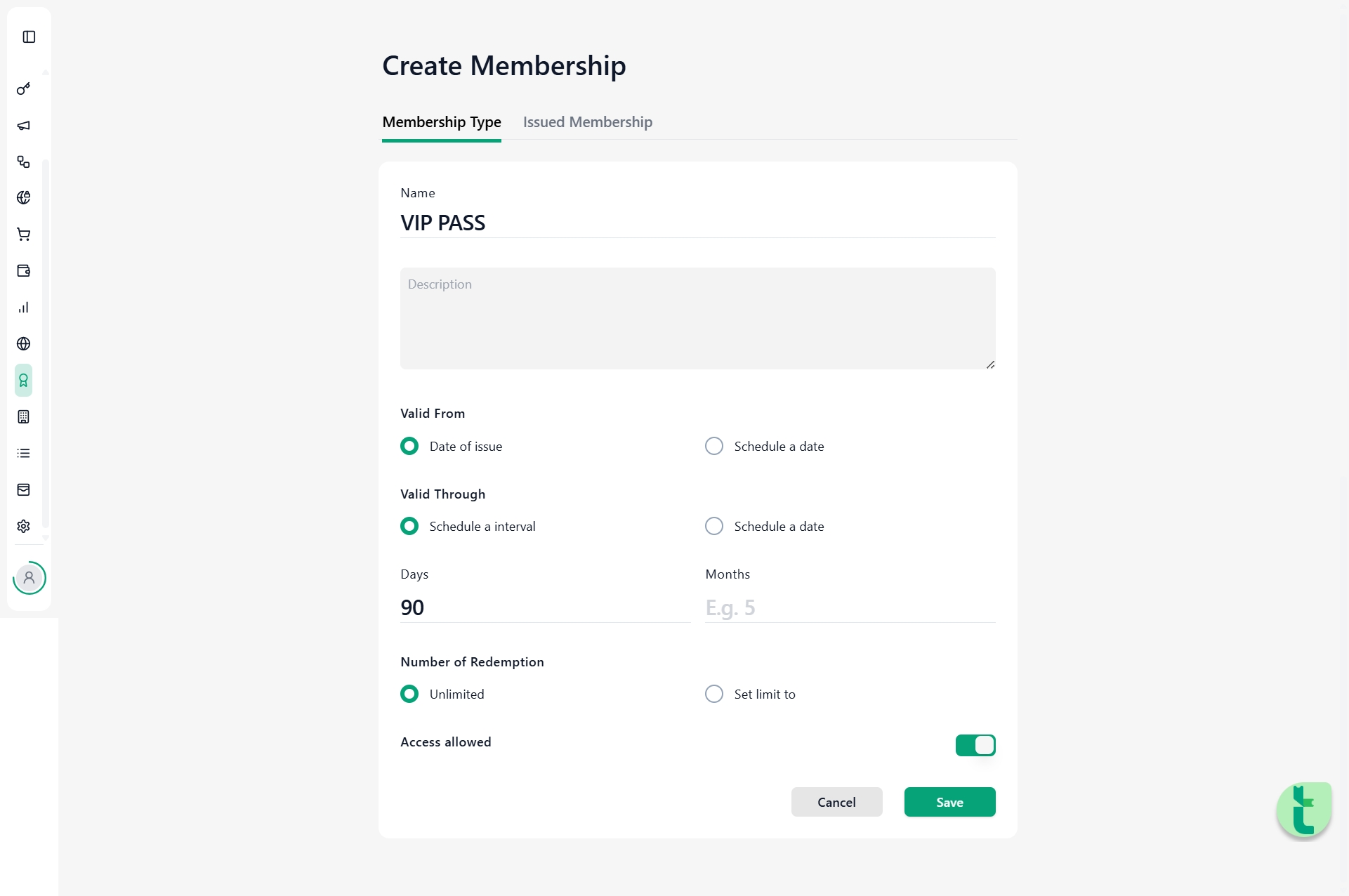
From the left-hand side menu, click on Membership.
Click on Create Membership.
Enter the membership details carefully.
Membership Information
Membership Name
Enter the name of the membership type.
Examples:
VIP Pass
Gold Membership
Premium Access
Description
Add a short description explaining the membership benefits.
Example:
This membership allows access to exclusive members-only events and ticket purchases.
Membership Validity
Valid From
Select the start date from which the membership becomes active.
Valid Through
Select the expiry date of the membership.
Organisers can configure validity based on:
Days
Months
This helps control how long the membership remains active.
Number of Redemptions
Enter the number of times the membership can be used.
This controls how many times a member can access or redeem membership benefits.
Access Allowed
Enable the Access Allowed option.
When enabled:
Attendees who purchase the membership receive a QR code.
The QR code can be scanned for entry or validation at future members-only events.
Organisers can verify active memberships during event access.
Was this article helpful?
That’s Great!
Thank you for your feedback
Sorry! We couldn't be helpful
Thank you for your feedback
Feedback sent
We appreciate your effort and will try to fix the article