Overview
The Products Module enables organizers to create, manage, categorize, and monitor merchandise, add-ons, services, and other sellable items related to events. It supports maintaining a well-structured product catalog and ensures efficient inventory and category management.
Navigation
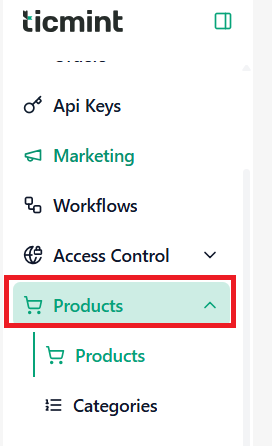
Go to:
Products → Products
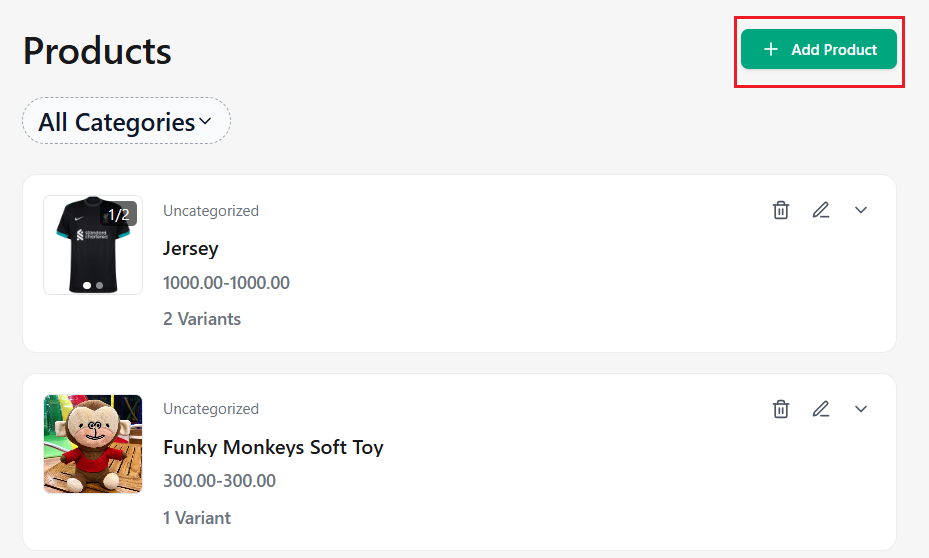
This page displays all available products.
Creating a Product
☐ Click + Add Product
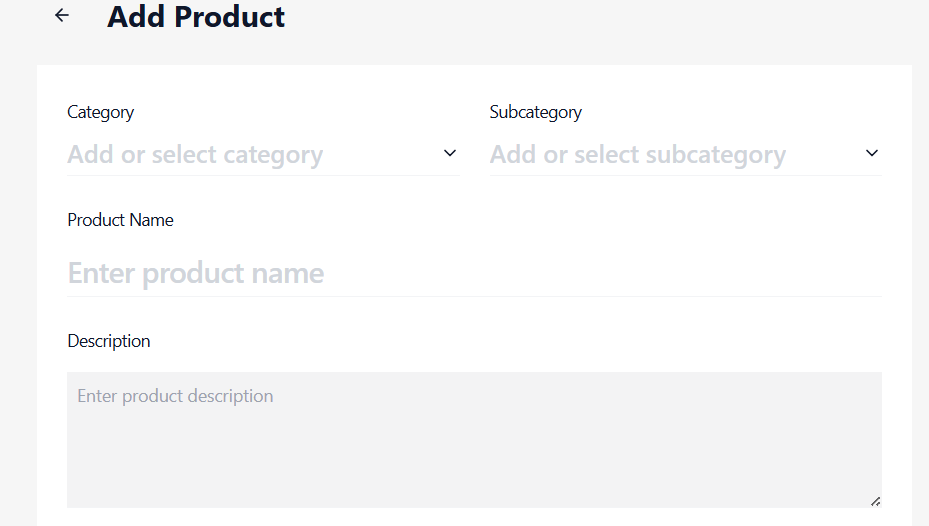
☐ Choose the Category from the dropdown menu
☐ Select the Subcategory from the dropdown menu
☐ Enter the Product Name
☐ Provide the Product Description
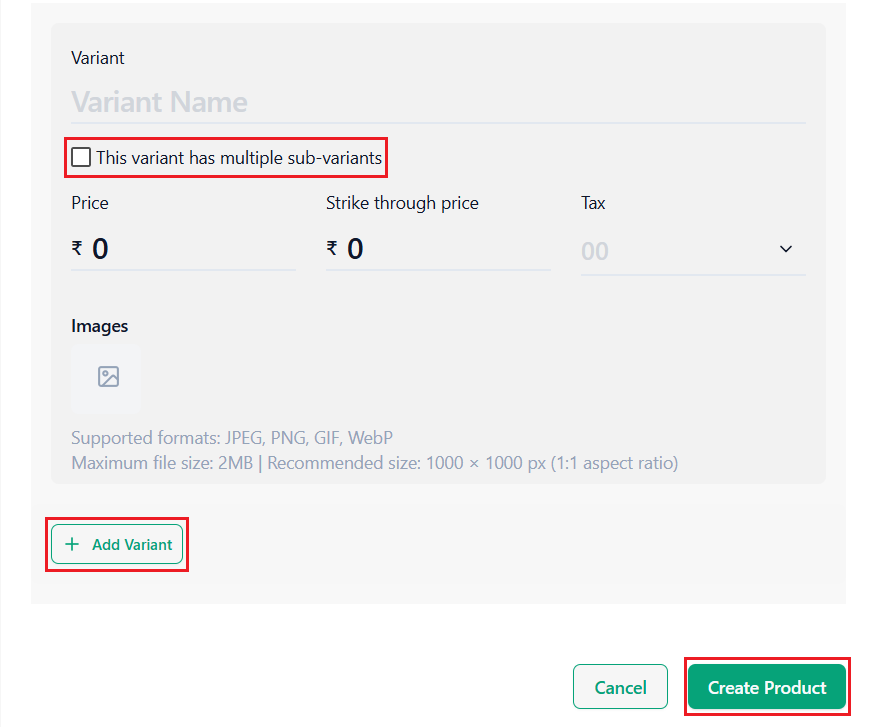
☐ Enter the Variant Name
☐ Enable This variant has multiple sub-variants (optional)
☐ Enter the Sub-Variant Name(s)
☐ Enter the Price, Strike-Through Price, Enter the Tax, Upload a Product Image
Add Additional Variants
☐ Click + Add Variant
☐ Configure additional variants as needed
Create Product
☐ Review all the entered details
☐ Click Create Product
Categories Module
Overview
The Categories Module allows organizers to group products into structured categories and subcategories, making product organization and browsing more efficient.
Navigation
Go to:
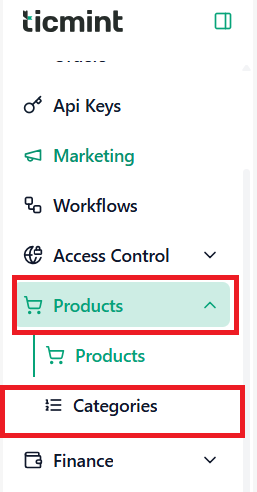
Products → Categories
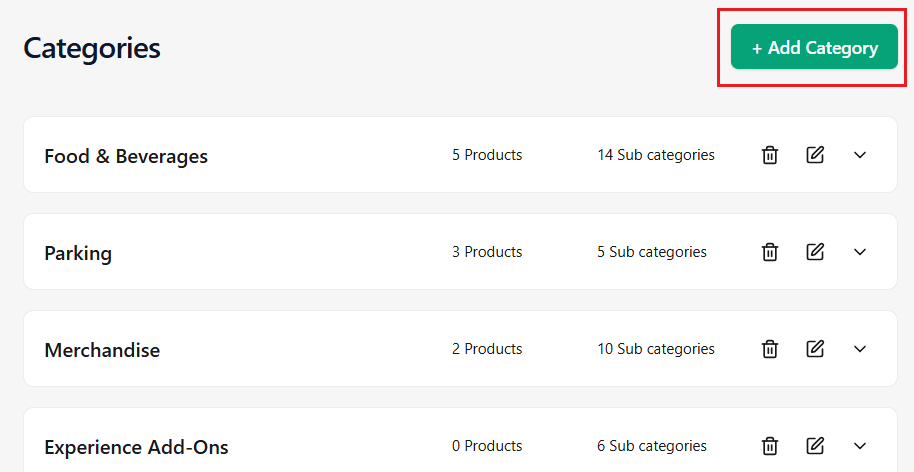
This page displays all existing categories and subcategories.
Creating a Category
☐ Click + Add Category
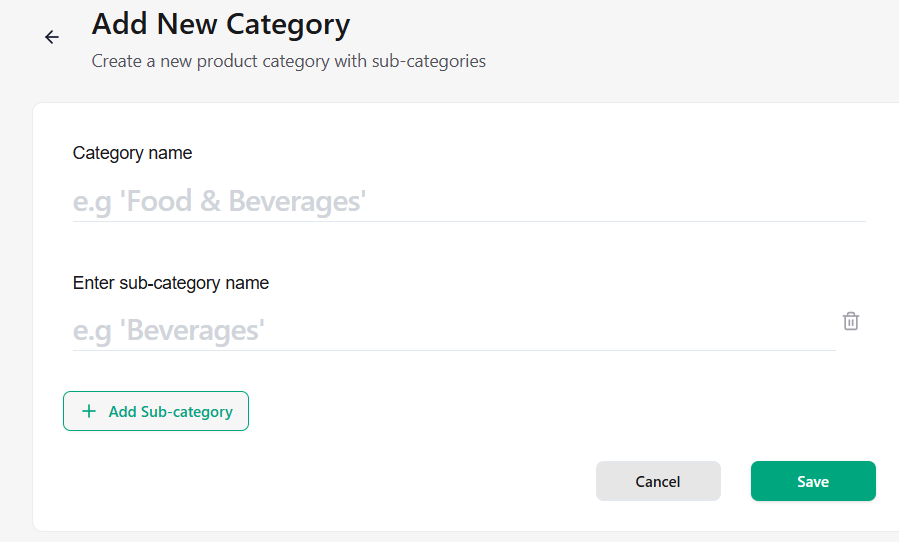
☐ Enter the Category Name
☐ Enter the Subcategory Name
Add Additional Subcategories
☐ Click + Add Sub Category
☐ Enter additional subcategory names as required
Save Category
☐ Review the entered details
☐ Click Save
Learn more about maximising revenue from ticket sales on the Ticmint blog.
Was this article helpful?
That’s Great!
Thank you for your feedback
Sorry! We couldn't be helpful
Thank you for your feedback
Feedback sent
We appreciate your effort and will try to fix the article