Overview
Affiliate Marketing allows event organizers to collaborate with influencers, promoters, partners, and community members to sell tickets using unique referral links.
Each affiliate receives a unique tracking URL, enabling Ticmint to automatically track ticket sales, conversions, and commissions generated through their promotions.
Step 1: Access Affiliate Marketing
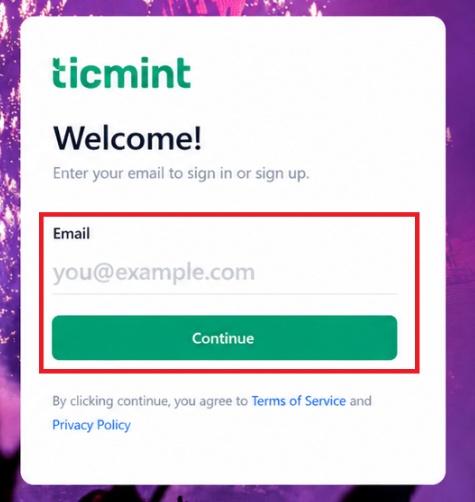
Log in to the Ticmint Dashboard.
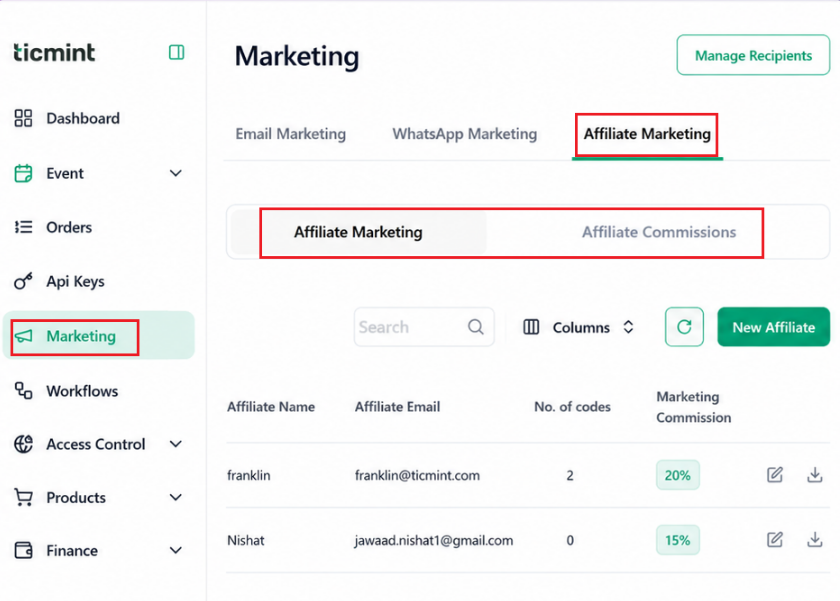
Navigate to Marketing.
Click Affiliate Marketing.
The Affiliate Marketing section includes:
Affiliate Marketing
Affiliate Commissions
Step 2: Create a New Affiliate
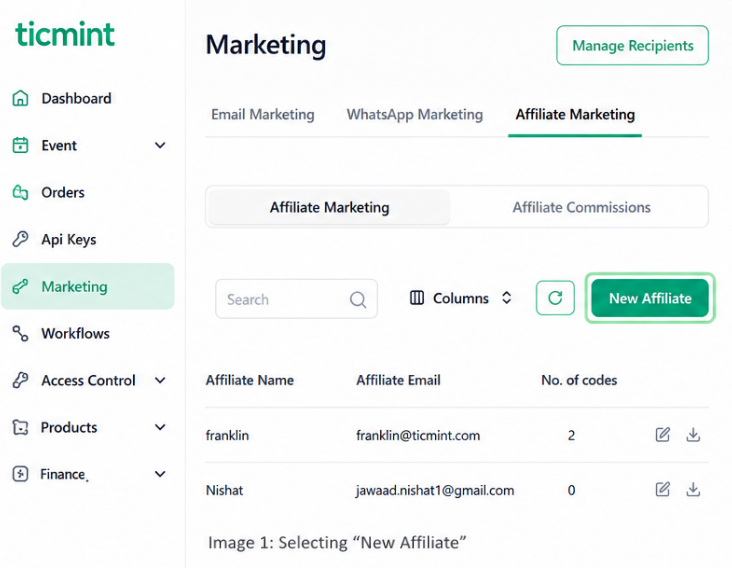
Select Affiliate Marketing.
Click New Affiliate.
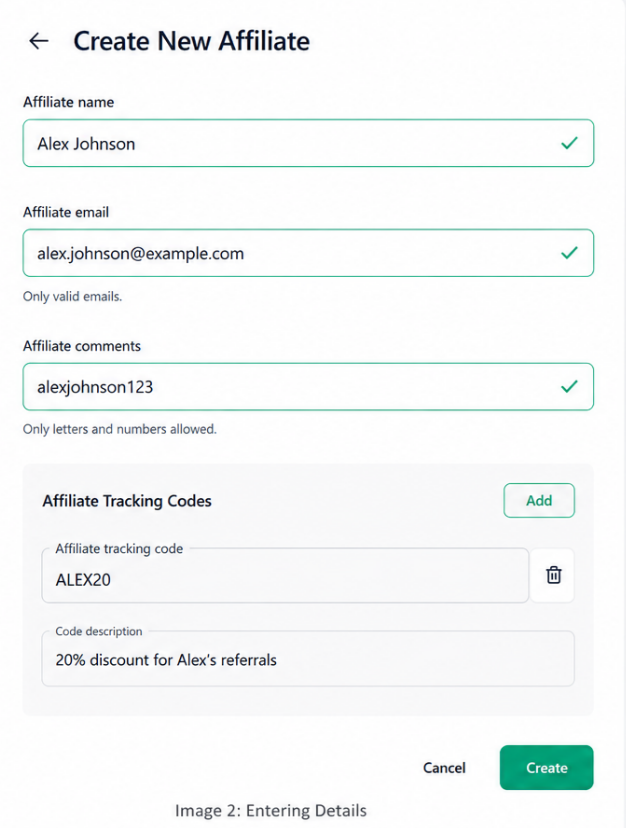
Enter the affiliate details:
Affiliate Name
Affiliate Email
Affiliate Comments
Click Add to create Affiliate Tracking Codes.
Enter the tracking Code and Description.
Click Create.
The affiliate will now be added to your Affiliate Directory.
Step 3: Configure Affiliate Commission
Once the affiliate has been created, define how they will earn commissions.
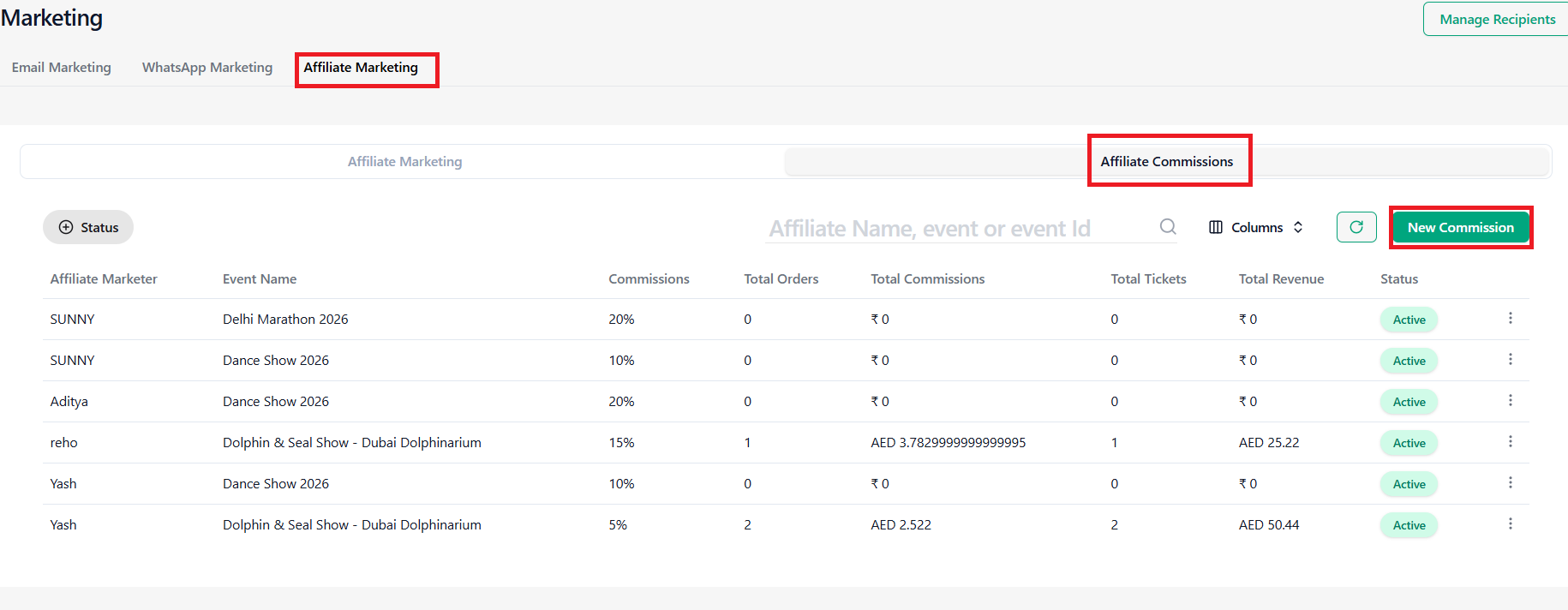
Create Commission
Click on Affiliate Marketing.
Select Affiliate Commissions.
Click New Commission.
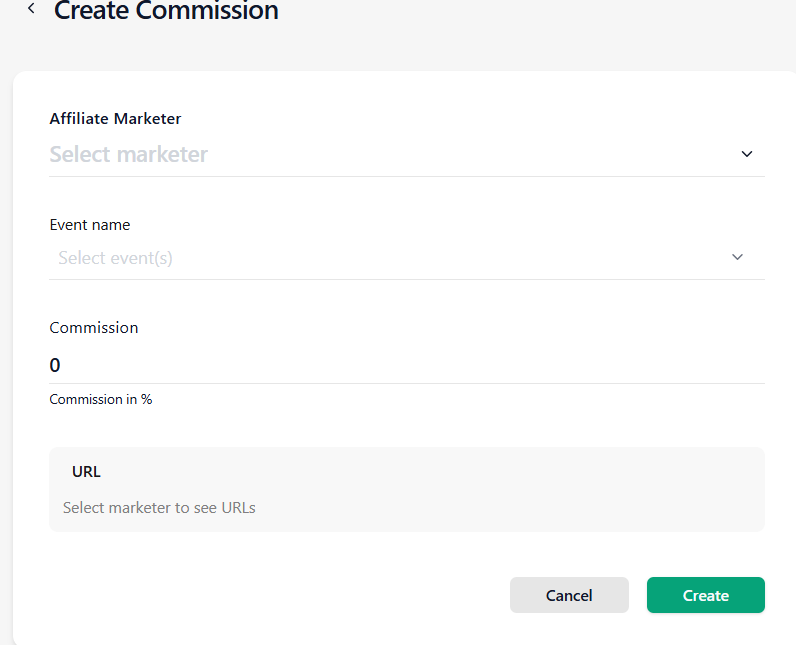
Commission Details
Affiliate Name (Select the affiliate)
Event Name (Select the event)
Commission Percentage (Define commission rate)
Enter URL (Select marketer to view URLs)
Click Create.
The system will automatically calculate commissions based on successful ticket purchases generated through the affiliate’s tracking link.
Step 4: Share Affiliate Tracking URL
After creating the commission:
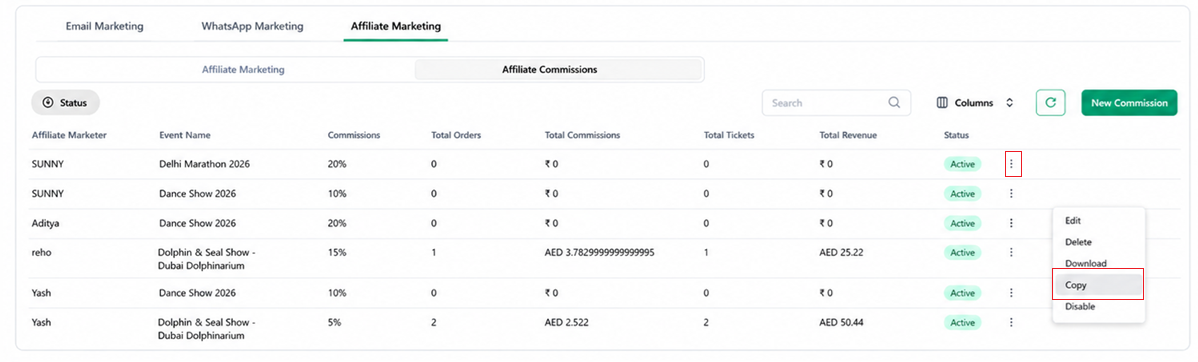
Open Affiliate Commissions.
Locate the affiliate entry.
Click the Three-Dot Menu (⋮).
Available actions:
☐ Edit
☐ Delete
☐ Disable
☐ Download
☐ Copy URL
Select Copy URL.
The unique referral link will be copied to your clipboard.
Share the URL with the affiliate via:
Email
WhatsApp
Instagram DM
Facebook Messenger
Telegram
Any preferred communication channels
Step 5: Affiliate Promotion
Affiliates can promote the event using:
☑ Instagram Posts
☑ Instagram Stories
☑ Facebook Posts
☑ YouTube Videos
☑ Blogs
☑ WhatsApp Campaigns
☑ Telegram Communities
☑ Email Newsletters
When users purchase tickets through the affiliate link, Ticmint automatically records the sale and attributes it to the correct affiliate.
Step 6: Track Affiliate Performance
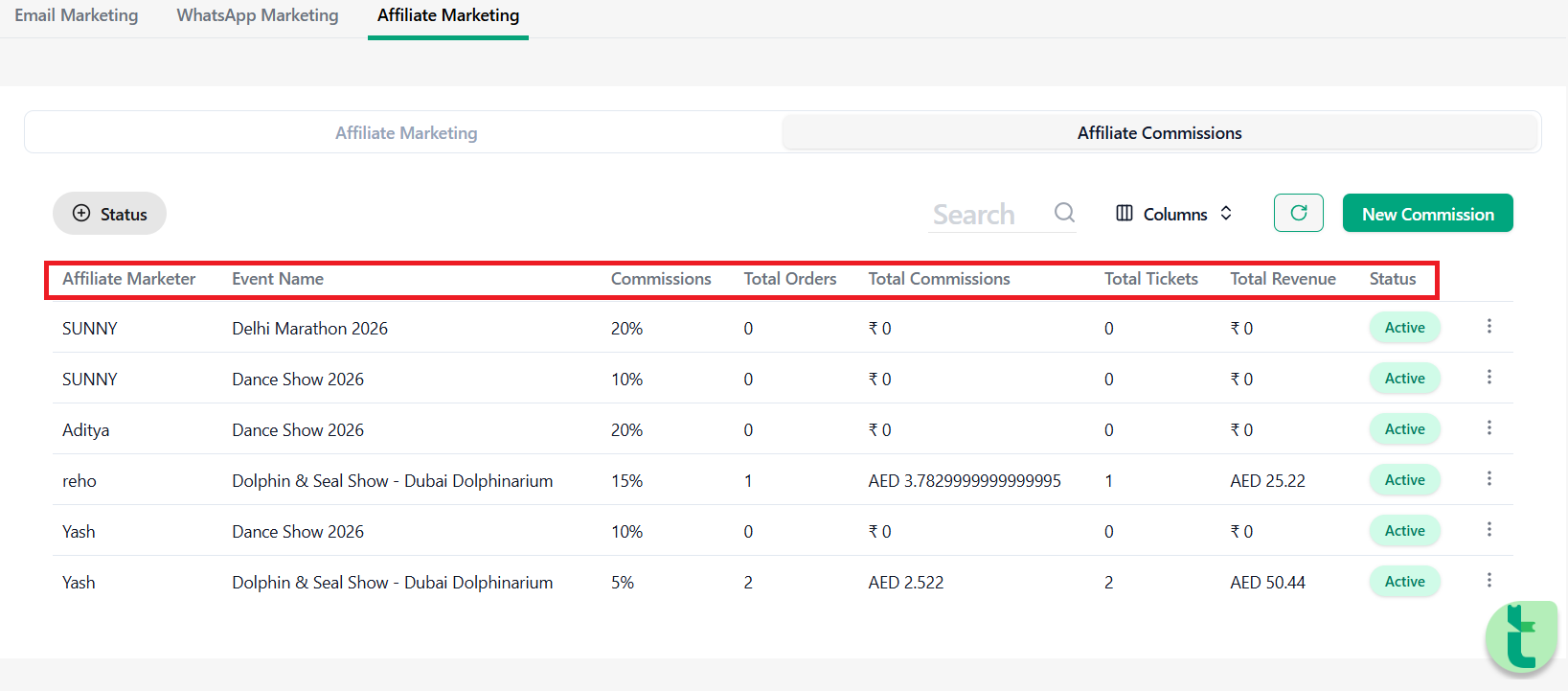
Navigate to:
Marketing → Affiliate Marketing → Affiliate Commissions
The dashboard provides real-time analytics including:
Sales Metrics
☐ Tickets Sold
☐ Orders Generated
☐ Revenue Generated
☐ Conversion Rate
☐ Commission Earned
Performance Insights
☐ Top Performing Affiliates
☐ Sales Trends
☐ Event-wise Affiliate Revenue
☐ Commission Summary
Step 7: Manage Affiliate Commissions
Organizers can regularly review:
Total affiliate earnings
Pending commissions
Approved commissions
Affiliate performance reports
This helps determine payout amounts and identify top-performing partners.
Step 8: Process Affiliate Payouts
After validating affiliate sales:
Review commission reports.
Calculate payable amounts.
Process payments through your preferred payment method.
Maintain records for accounting and reconciliation.
Recommended payout methods:
☐ Bank Transfer
☐ UPI
☐ PayPal
☐ Direct Account Credit
Learn more about Ticmint's event marketing tools on the Ticmint website.
Was this article helpful?
That’s Great!
Thank you for your feedback
Sorry! We couldn't be helpful
Thank you for your feedback
Feedback sent
We appreciate your effort and will try to fix the article