Bundle Tickets allow organisers to combine multiple ticket types into a single package.
Example:
Entry Ticket + Parking
VIP Pass + Merchandise
Couple Pass Bundle
Bundle Tickets allow organizers to combine multiple ticket types into a single package.
Note: Before creating a bundle:
Create the individual tickets normally.
Set those tickets to Hidden if you do not want attendees to purchase them separately.
Creating a Bundle Ticket
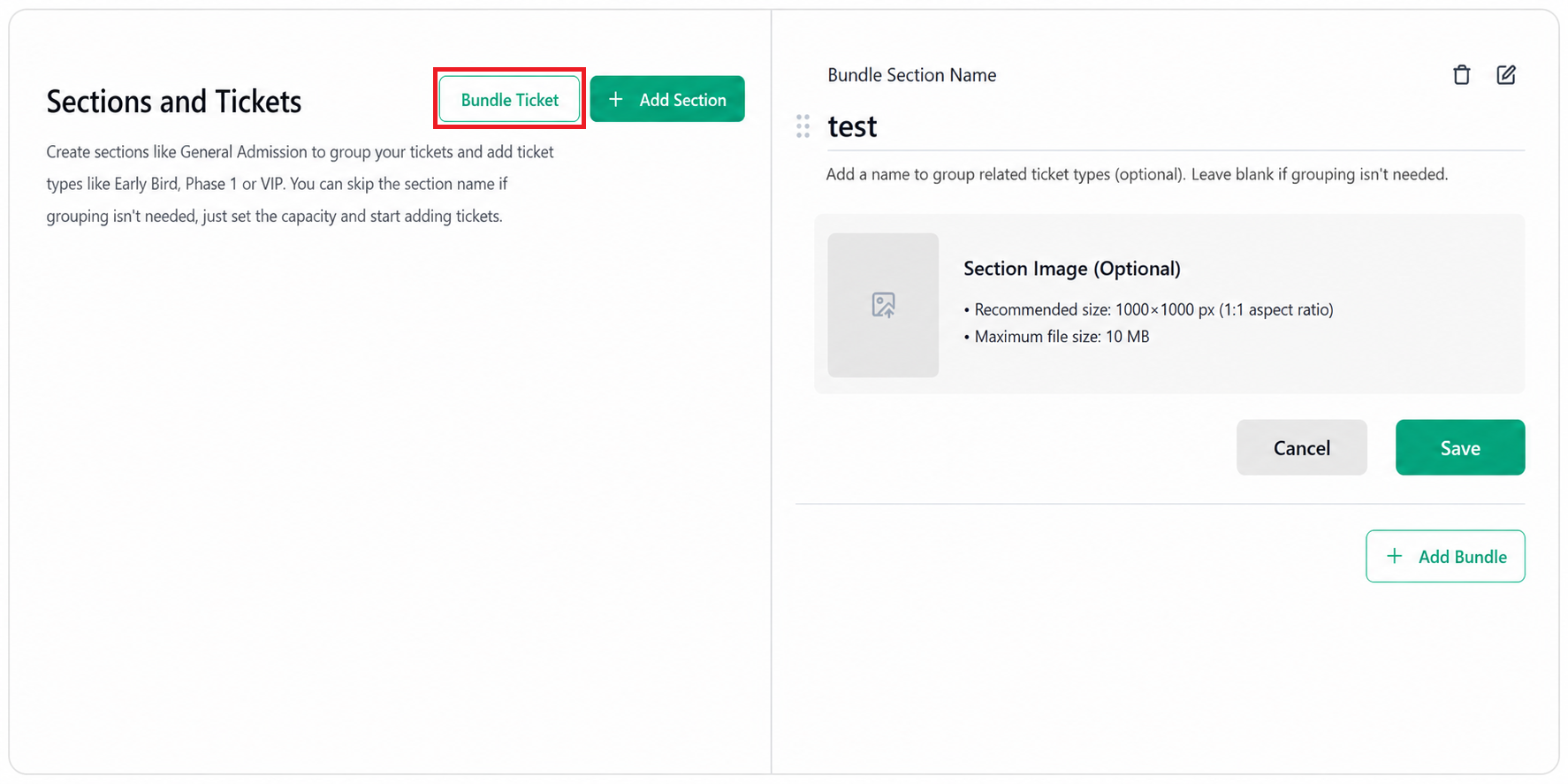
Step 1: Open Bundle Ticket
Navigate to the Tickets page.
Click Bundle Ticket from the top-right corner.
Enter the Bundle Section Name.
Upload a Bundle Section Image (Optional).
Recommended Specifications:
Image Size: 1000 × 1000 px (1:1 aspect ratio)
Maximum File Size: 10 MB
Click Save.
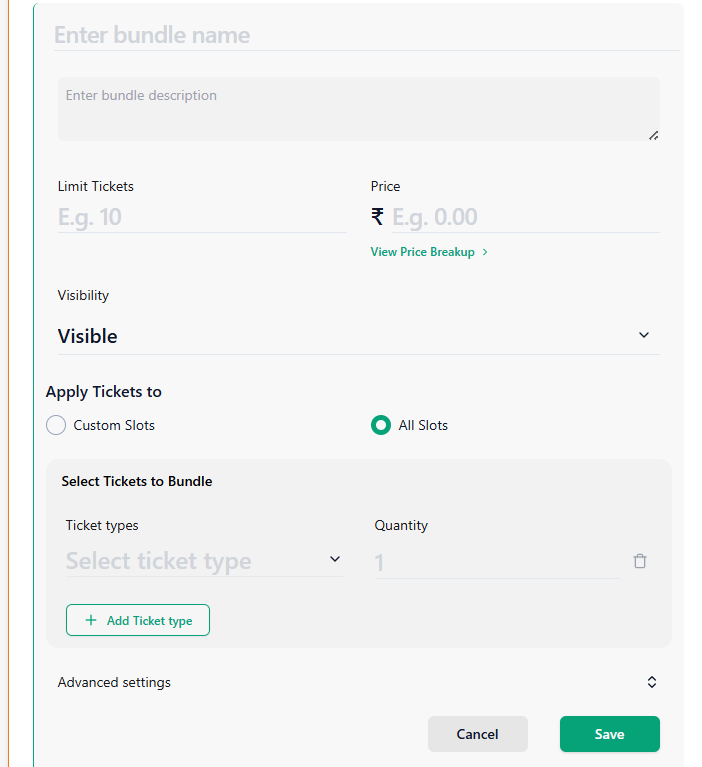
Step 3: Add a Bundle
Click + Add Bundle.
Enter the Bundle Name.
Enter the Bundle Ticket Limit.
Enter the Bundle Price.
Click View to review the price breakdown.
Select the required Visibility from the dropdown.
Select tickets to Custom Slots or All slots
Step 4: Add Tickets to the Bundle
Under Select Tickets to Bundle, choose a ticket type from the dropdown.
Enter the required Quantity.
Click + Add Ticket Type to include additional ticket types in the bundle.
Step 4: Configure Advanced Settings
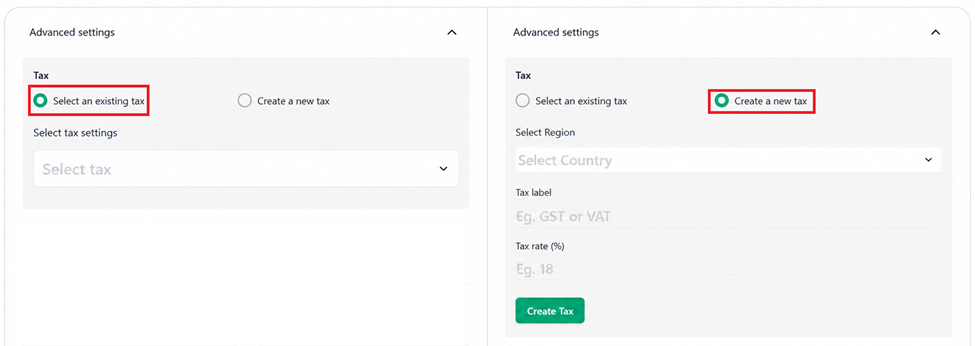
Click Advanced Settings and configure the following options.
Tax Configuration
Choose one of the following options:
Use Existing Tax
Select Existing Tax.
Choose the required tax from the Select Tax dropdown list.
Create New Tax
Select Create New Tax.
Select the Region.
Enter the Tax Label.
Enter the Tax Rate (%).
Additional Ticket Settings
Configure the following fields as required:
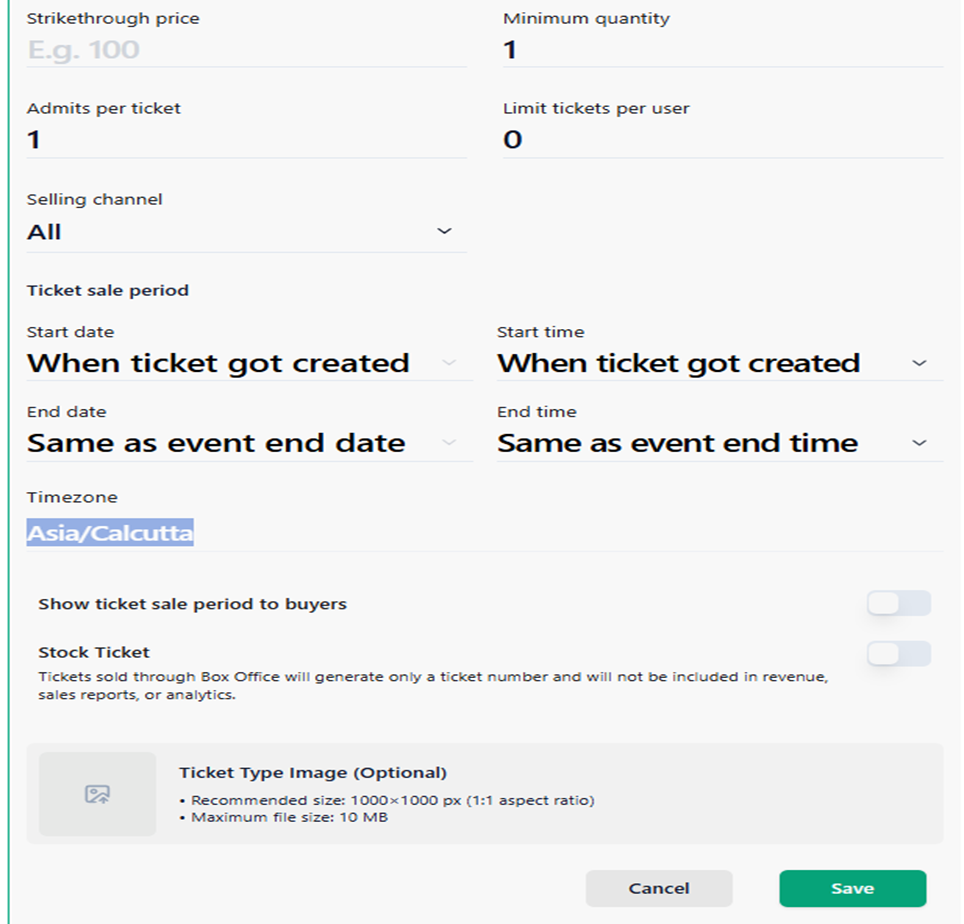
● Strikethrough Price
● Minimum Quantity
● Maximum Quantity
● Admits Per Ticket
● Limit Tickets Per User
● Selling Channel
● Sale Start Date and Time
● Sale End Date and Time
● Enable Show Ticket Sale Period to Buyers to display the ticket sales period to customers.
● Enable Stock Ticket to manage and track ticket inventory separately.
Note: Stock Tickets help organizers control ticket availability and monitor the remaining ticket quantity throughout the sales period.
● Upload a Ticket Type Image(optional).
Recommended Specifications:
● Image Size: 1000 × 1000 px (1:1 aspect ratio)
● Maximum File Size: 10 MB
Review all details and click Save to create the bundle ticket.
Note:
Tickets sold through the Box Office will generate only a ticket number and will not be included in revenue, sales reports, or analytics.
The bundle ticket will now appear on the event page according to the configured visibility settings.
Learn more about maximising revenue from ticket sales on the Ticmint blog.
Was this article helpful?
That’s Great!
Thank you for your feedback
Sorry! We couldn't be helpful
Thank you for your feedback
Feedback sent
We appreciate your effort and will try to fix the article